Matters Not Appearing or Missing in Eve
Last updated: November 10, 2026
Overview
You open Eve and the matter you expected isn't on the list, or the list is nearly empty. Almost every version of this comes down to which view is open and who the matter was shared with, not a matter that has gone missing.
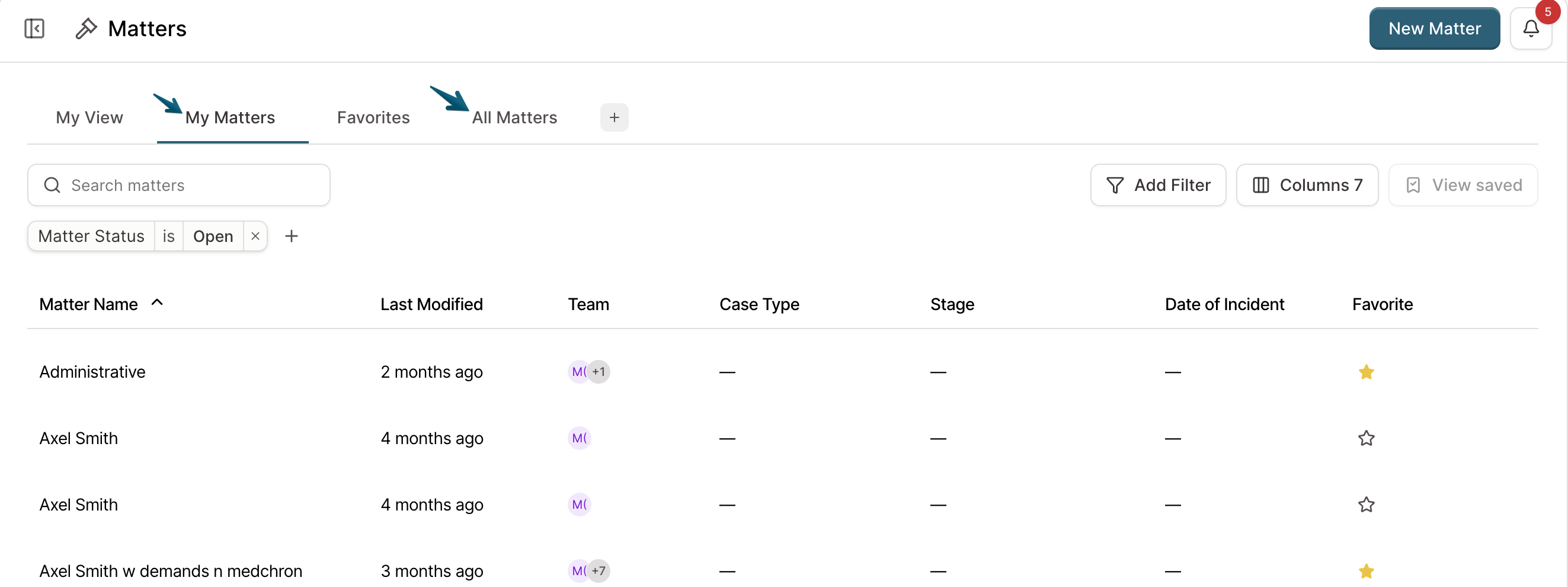
The Matters page has three views and a Closed tab. Each view filters the same set of matters by your relationship to them, so a matter that is real and intact can still be absent from the view you happen to be looking at. See 📄 How to Navigate Matter Views in Eve for what each view holds.
Check first
Switch to All Matters. This is the fix for most of these. My Matters shows only what you created or were added to, so a colleague's case will not be there.
Open the Closed tab. Closed matters leave all three views.
Check which email you're signed in with. It should be the address your firm invited to Eve. Some people end up with two logins on the same Google or Microsoft address, and matters live under one of them.
If the matter is still not there after all three, work through the causes below.
The matter belongs to someone else at your firm
Why it happens: My Matters holds matters you created plus matters shared with you as a collaborator. A case your colleague opened and never shared with you is not in that view, and it is the single most common reason this page looks emptier than expected.
How to fix it: Switch to All Matters. If it appears there, nothing is wrong. Star it so it shows in Favorites, or ask the owner to add you so it lands in My Matters.
Eve is opening to a different view than you expect
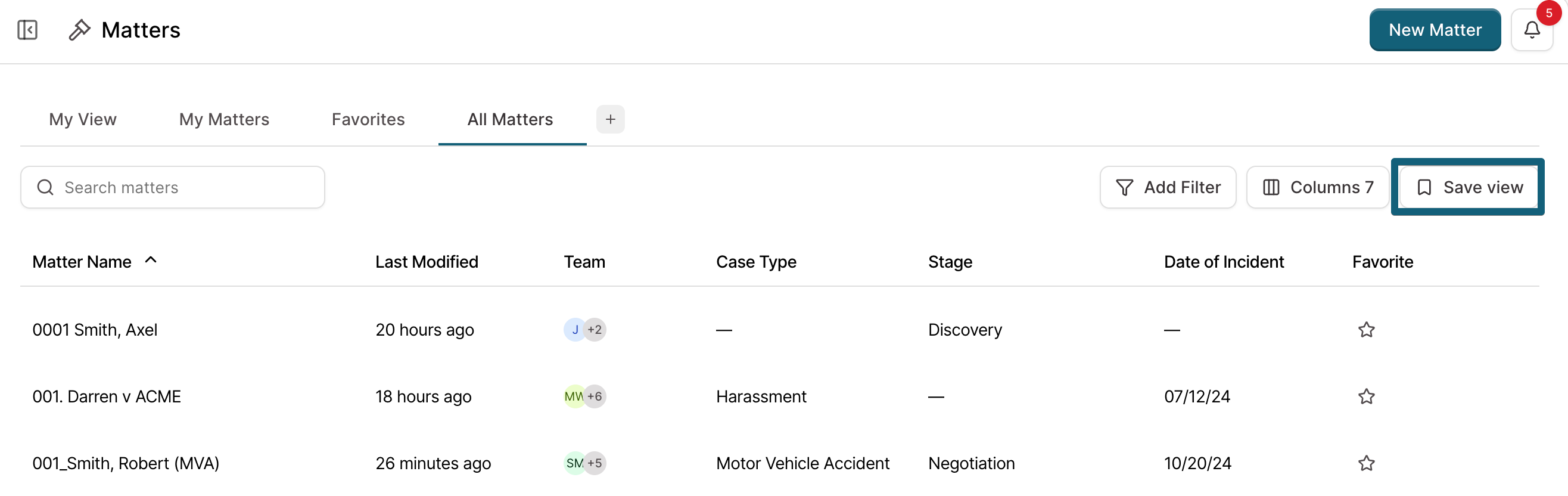
Why it happens: Any of the three views can be set as your default, and Eve opens to it on every login. If someone set it, or you set it a while ago and forgot, Eve opens somewhere other than where your work is.
How to fix it: Open the view you want, then select Set Default View. Eve opens to it from then on.
The matter was closed
Why it happens: Closing archives a matter. It leaves My Matters, Favorites, and All Matters, and moves to the Closed filter. Firm Admins can close any matter at the firm, so a matter can be closed by someone other than its owner.
How to fix it: Open the Closed tab. See 📄 How to Close a Matter in Eve.
The matter requires an invitation and you weren't invited
Why it happens: Every matter is set either so that anyone at your firm can open it, or so that access takes an explicit invitation. An invitation-only matter you weren't invited to does not appear in any of your views, including All Matters.
How to fix it: Ask the matter's owner to open it, select Share, and invite you. See 📄 How to Share a Matter with Team Members in Eve.
All Matters is nearly empty for everyone at your firm
Why it happens: Whether new matters are firm-visible by default is an account-level setting. If your firm's default is invitation-only, every matter starts private to its creator, and All Matters shows each person little more than their own work. This reads like a bug and is a setting.
How to fix it: Decide what your firm wants. Individual matters can be switched to firm-wide access in the Share dialog. To change the default for every new matter, contact support.
Matter views and permission roles are separate things. A role decides what you can do across Eve; sharing decides which matters you can open. A Firm Admin role does not by itself put another person's invitation-only matter in your list. See 📄 Permission Roles in Eve.
A matter you owned is no longer in My Matters
Why it happens: Ownership moved to someone else. When another person is set to Owner, the matter leaves your My Matters view.
How to fix it: Look in All Matters. You still have access as a collaborator unless you were also removed. If you need it back in My Matters, the new owner can add you, or ownership can be transferred back.
The case exists in your case management system but not in Eve
Why it happens: An integration pulls case data into Eve on an overnight schedule, not the moment a case is created. A case opened in your CMS today will not be in Eve until the next sync.
How to fix it: Wait for the next sync, or create the matter in Eve directly. If matters that synced before have stopped arriving, the connection may need re-authorizing, which is a Firm Admin task.
The matter was deleted
Why it happens: Deleting removes a matter and everything in it. It does not move to the Closed tab, and no view will show it.
How to fix it: Contact support with the matter name and roughly when it was last open. See 📄 Closing vs. Deleting Matters in Eve.
Still not there?
Chat with us in-app using the help icon, or email support. It helps to include the matter name, who created it, which view you're looking at, and the email address you're signed in with.