How Do I Tell If I'm Using EveOS or Eve Core?
Last updated: October 26, 2026
Overview
Eve Core is the base Eve subscription: matters, Talk to Eve, drafting, agents, Medical Overview, Central Library and Demonstratives. EveOS is a separate package that runs alongside Eve Core and adds Atlas, Analyst and Auditor. Firms on EveOS also have everything in Eve Core.
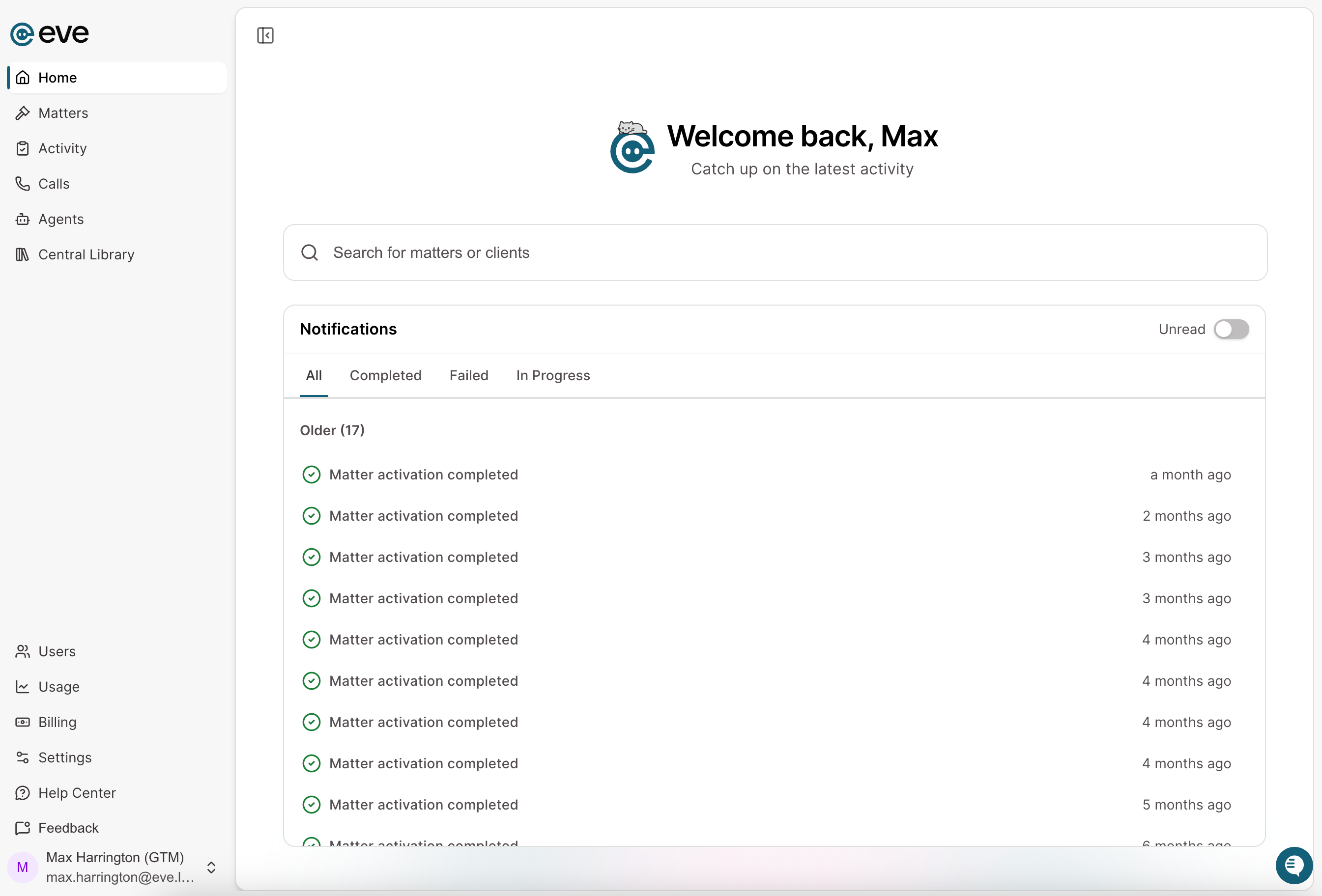
The quickest check is to look at your homepage. Eve appears differently based on what tier you're on. Here's a look at Eve Core's homepage:
Here's the EveOS homepage:
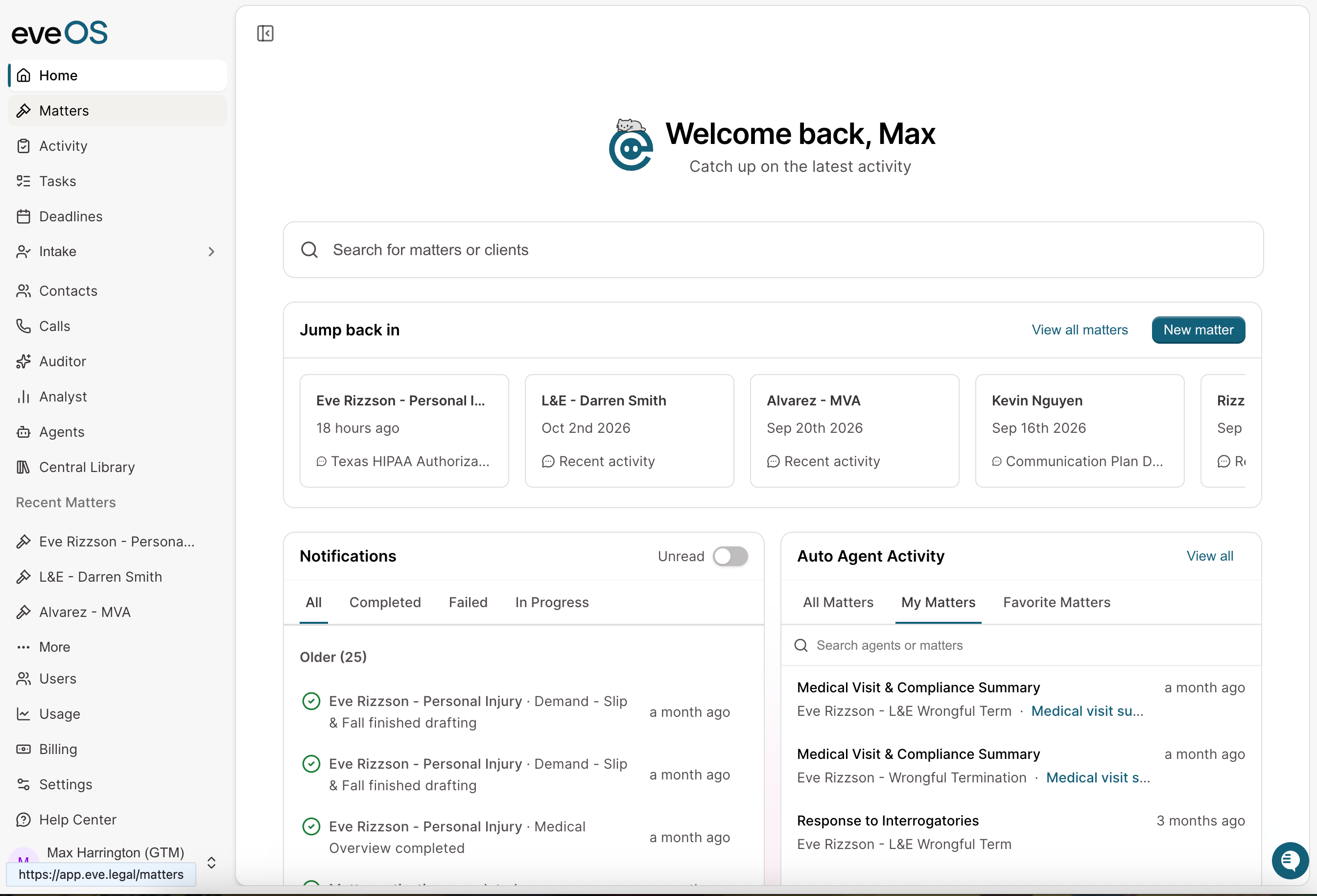
Note the logo in the top left of Eve changing to include "OS", as well as several additional side-bar options(Auditor, Analyst). If none of the EveOS items appear, the account is on Eve Core.
How Do I Check for Atlas?
Atlas keeps the matter's case fields current as documents are processed, and each field cites the document it came from.
Sign in as a Firm Admin.
Select a matter.
Select Team & Agents in the left navigation.
Look for the ATLAS tab.
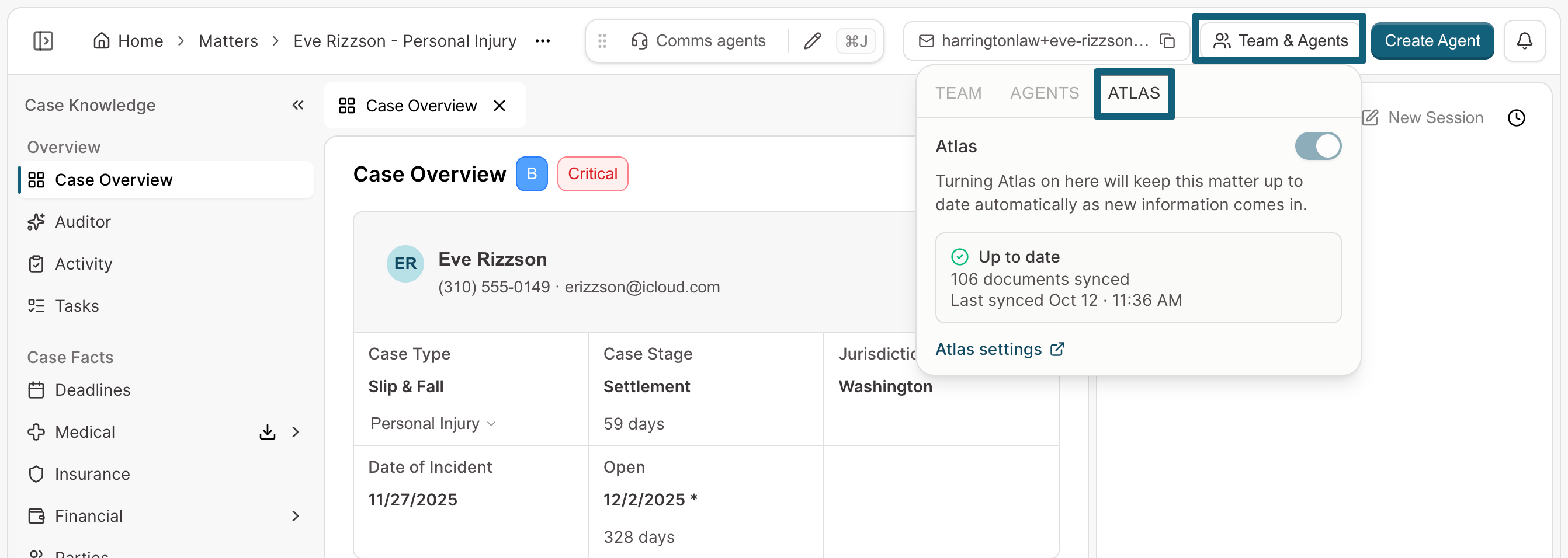
What you should see: The ATLAS tab, with the status of Atlas on your firm's matters. When the tab is missing, Atlas is not turned on for the account.
Users who are not Firm Admins do not see this tab. A non-admin can still tell Atlas is on by opening a matter and looking for the case overview tab that populates when the matter is opened.
What If Only Some EveOS Tools Appear?
Tools can be on for the firm but hidden from an individual user because of their role. See 📄 Permission Roles in Evefor what each role sees.
What Can't I Tell From These Checks?
These checks show what is turned on, not what the firm's plan includes. Confirming the plan, adding EveOS, or turning on a missing tool goes through the firm's Customer Success Manager or support at support@eve.legal.