How to Check the Sources Behind a Draft
Last updated: November 4, 2026
Overview
Sources show the files Eve used to write a draft. Use them to check where a fact came from before a document leaves your firm.
See the Sources
Open the draft.
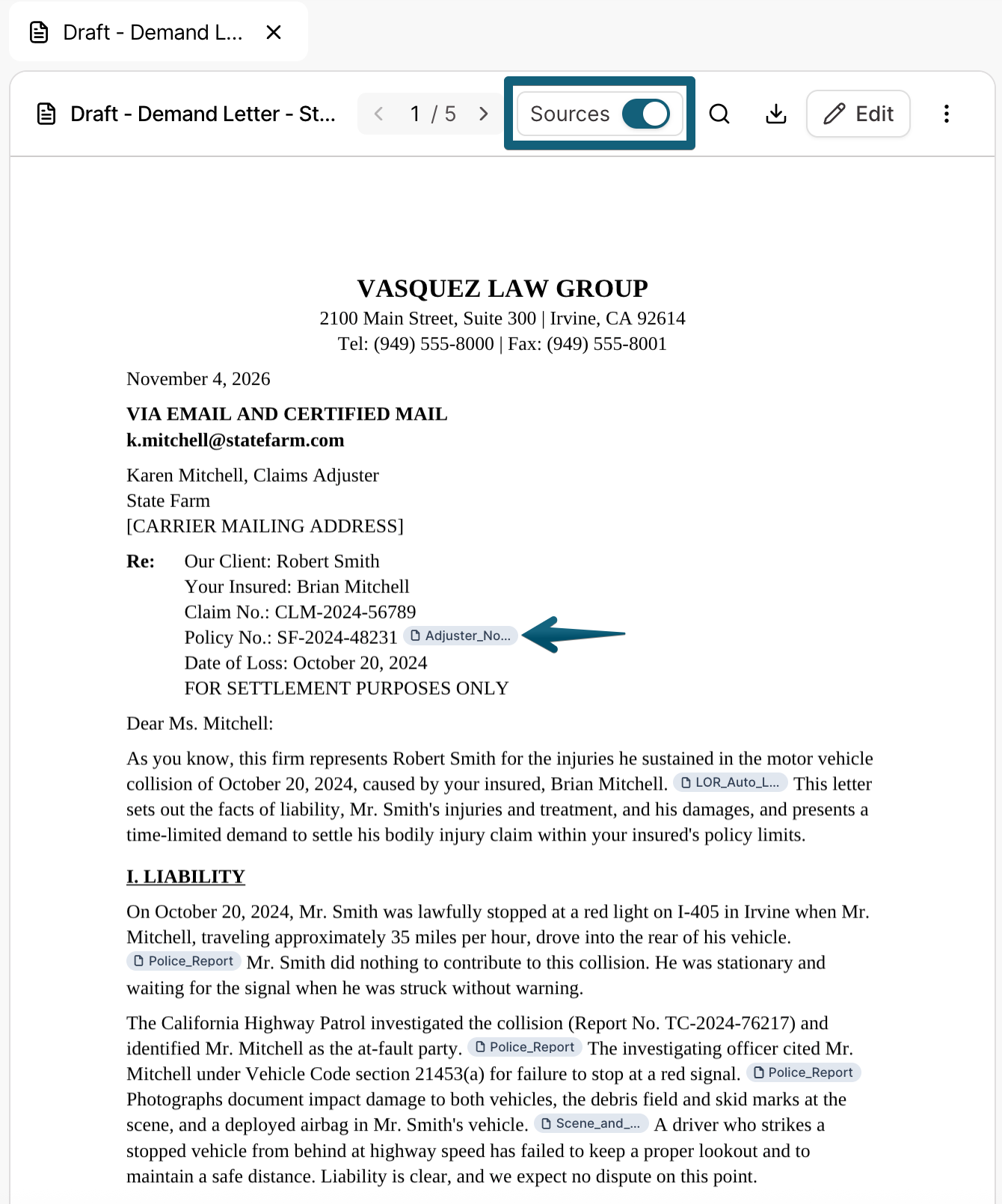
Select Sources in the document header.
Eve writes from the files in the matter, plus any Central Library files you select. You'll see sources populate in the document, just like you would see in a conversation.
Download With or Without Sources
Click Download.
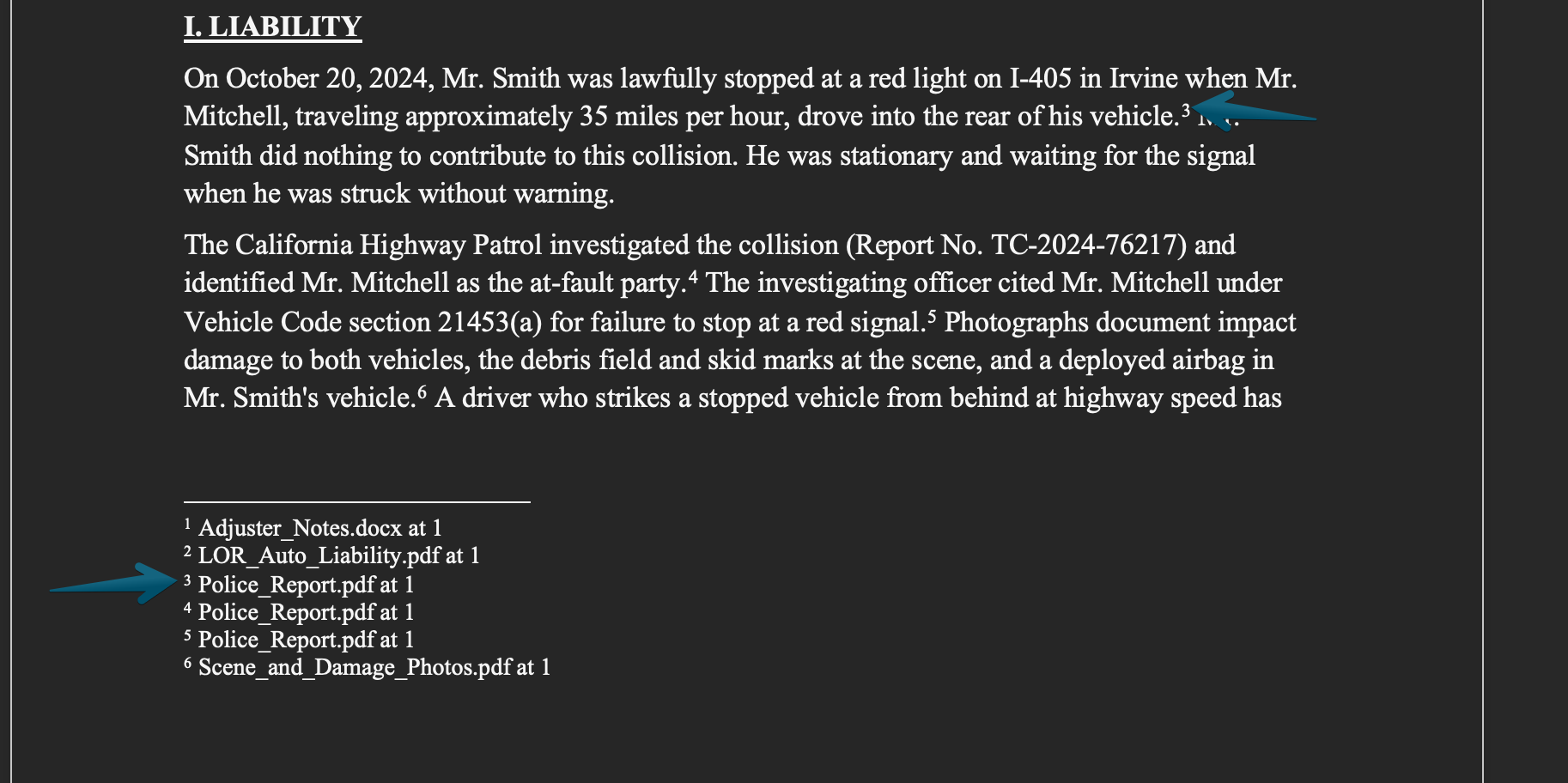
Choose Word with sources or Word without sources.
If you choose to include sources, they'll appear as footnotes with the source document's title, like this:
Check Before You Send
Eve drafts from the case file, so verify key facts, dates, and amounts before a document is sent. See 📄 How to Verify Eve's Responses
Troubleshooting
A draft does not show sources.
Drafts made before October 23, 2026 do not show sources inside the document. Ask Eve to draft again to get a draft with sources, or ask her for sources in chat.