How to Revise a Draft in Chat
Last updated: November 4, 2026
Overview
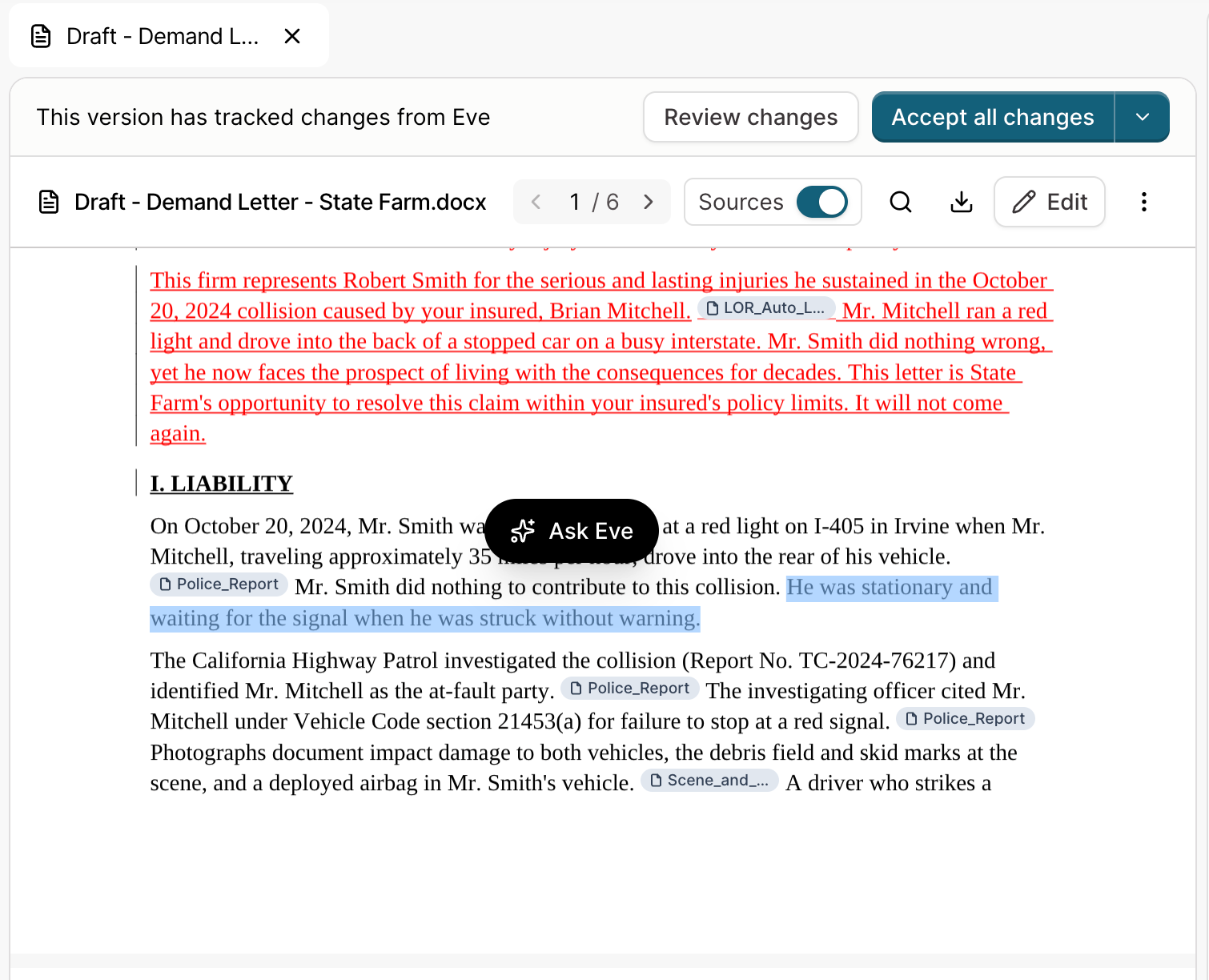
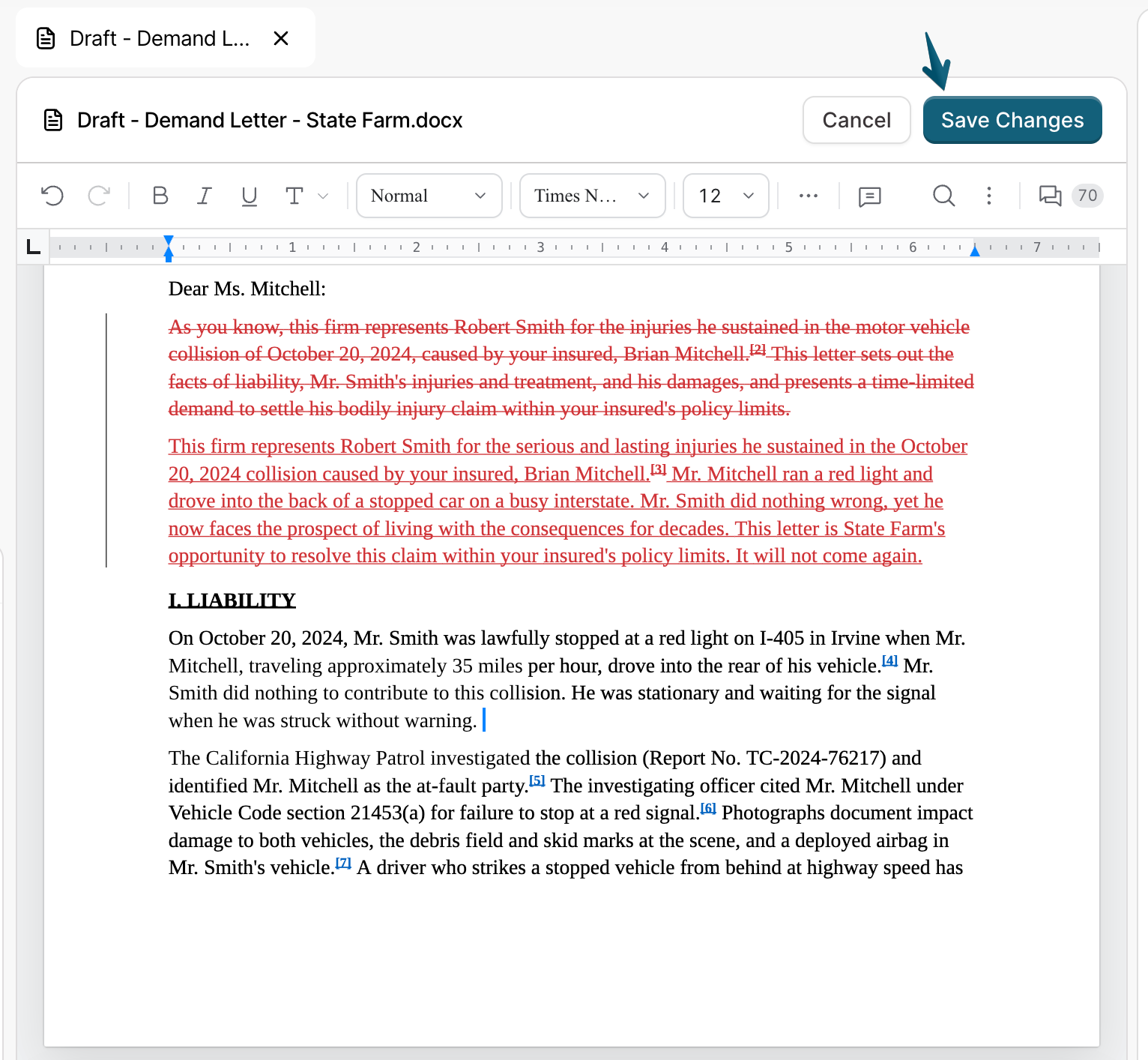
A draft does not need to be started over to change it. There are three ways to revise a draft in Eve: highlight text and click Ask Eve, ask in chat, or click Edit and type the change.
Revise by Highlighting
Open the draft.
Highlight the text you want to change, on one page.
Click Ask Eve. The text appears in the chat box.
Type what to change, for example "Add the MRI findings here."
Eve shows the edit inline as a tracked change.
Revise in Chat
Keep the conversation going in chat: "No, make this shorter." "Add the treatment timeline." Eve applies the change to the draft and shows it as a tracked change.
Type Your Own Changes
Click Edit above the draft.
Type in the document the way you would in Word. The editor has the Word tools you know, such as tables, footnotes, comments, and find and replace.
Click Save Changes when you finish, or Cancel to leave without saving.
Each save becomes a new version.
Tips
Ask for one change at a time. A short, specific request ("make the second paragraph more firm") gives a cleaner edit than a long list of changes in one message.
Highlight for precise edits. To change one sentence or one paragraph, highlight it first. Eve then changes only that part.
Type small fixes yourself. For a one-word fix, click Edit and type it.
Troubleshooting
Ask Eve does not appear when I highlight text.
Refresh the page.
Select text on one page only. Ask Eve does not appear for a selection that crosses pages.
Ask Eve does not work in the editor. Click Save Changes or Cancel first.
Eve changed the draft while I was editing it.
Eve tells you that the document changed, and your edits cannot be saved to the old version. Copy any text you need, leave the editor, then click Edit on the new version. To avoid this, let Eve finish before you click Edit.
A small edit takes a few minutes.
Each request is a full review and update of the file. Eve reads the draft and the case file again. For a smaller fix, click Edit and type it.
Eve does not know which draft I mean.
Eve knows the draft when it is open next to the chat. If it is not open, name the draft in your message.