How to Update a Drafting Agent to Improved Drafting Agents
Last updated: November 4, 2026
Overview
Existing drafting agents keep working as they do today. Each one can be updated to the improved drafting when you are ready. Discovery response agents update the same way. Drafting agents created after launch use the improved drafting from the start.
Before You Update
Check the agent's example documents. Eve takes the formatting from them, so remove any that have the wrong letterhead or layout.
Update One Agent
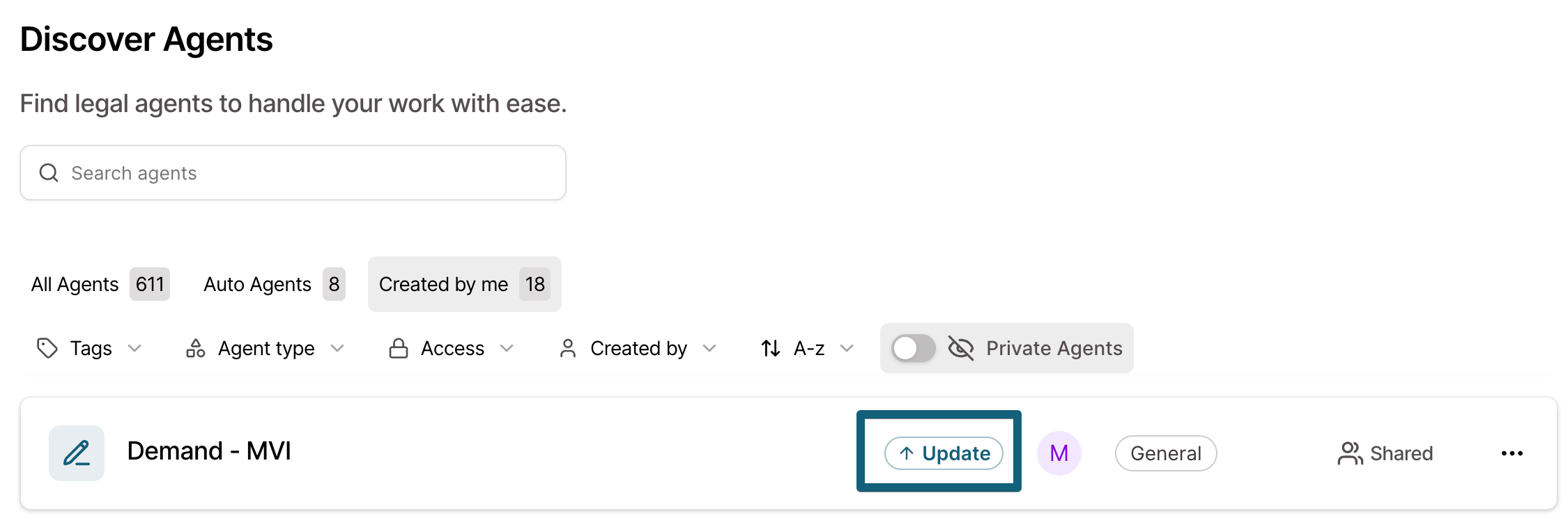
Open the Agents page.
Click Update on the agent.
Update Every Agent at Once
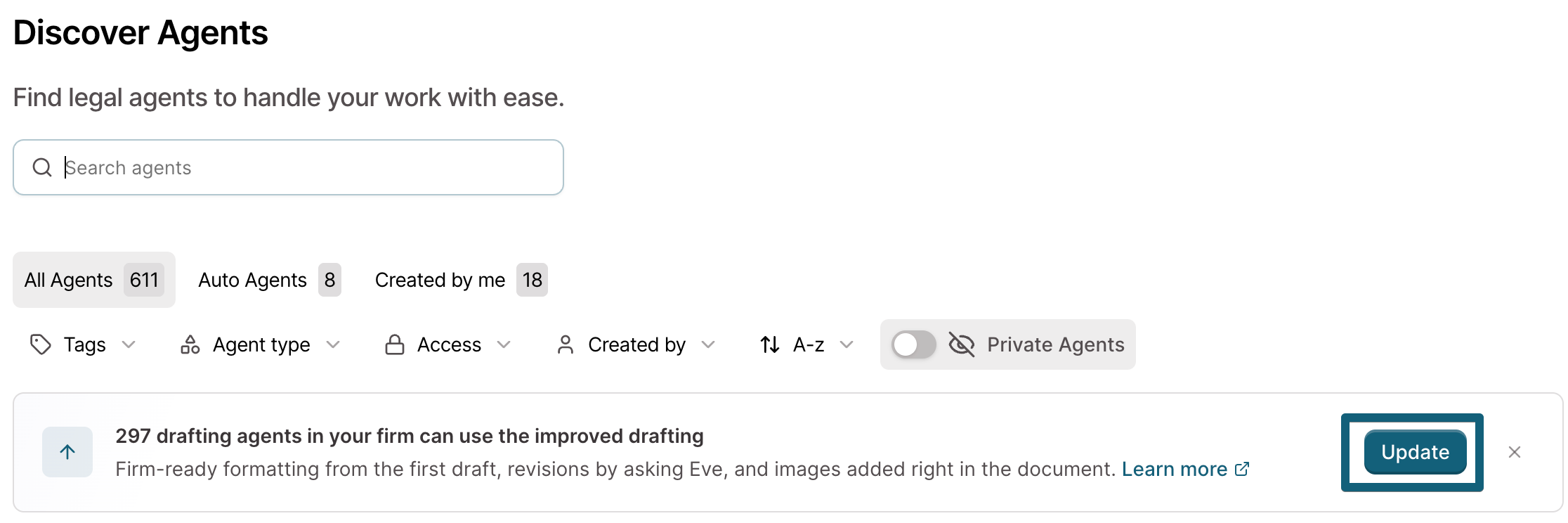
On the Agents page, click Update in the banner at the top. This updates every agent you can update.
Try It First
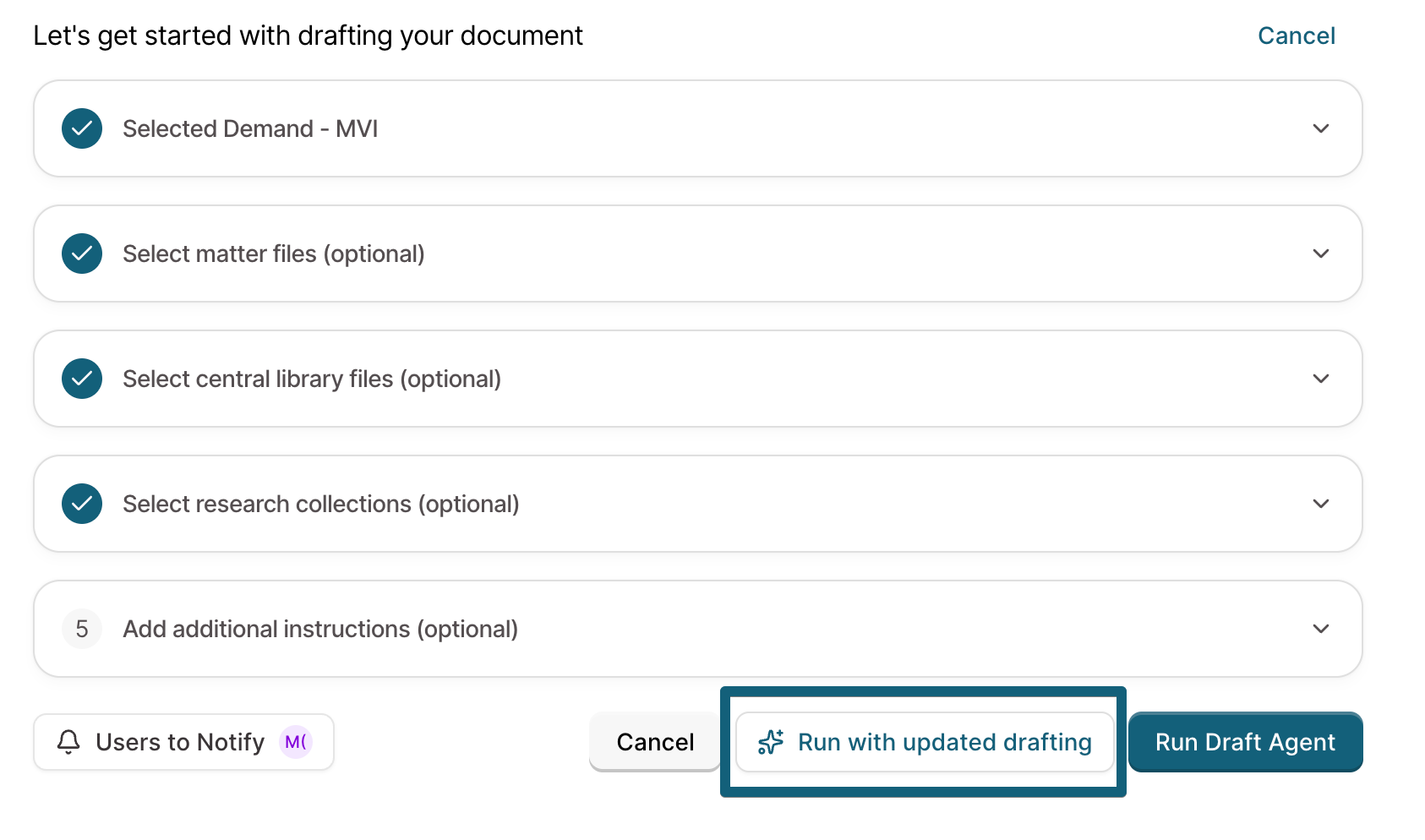
Run the agent from a matter.
Click Run with updated drafting. Eve runs the agent once with the improved drafting and does not change the agent.
If you like the result, click Update on the card under the draft.
Revert an Update
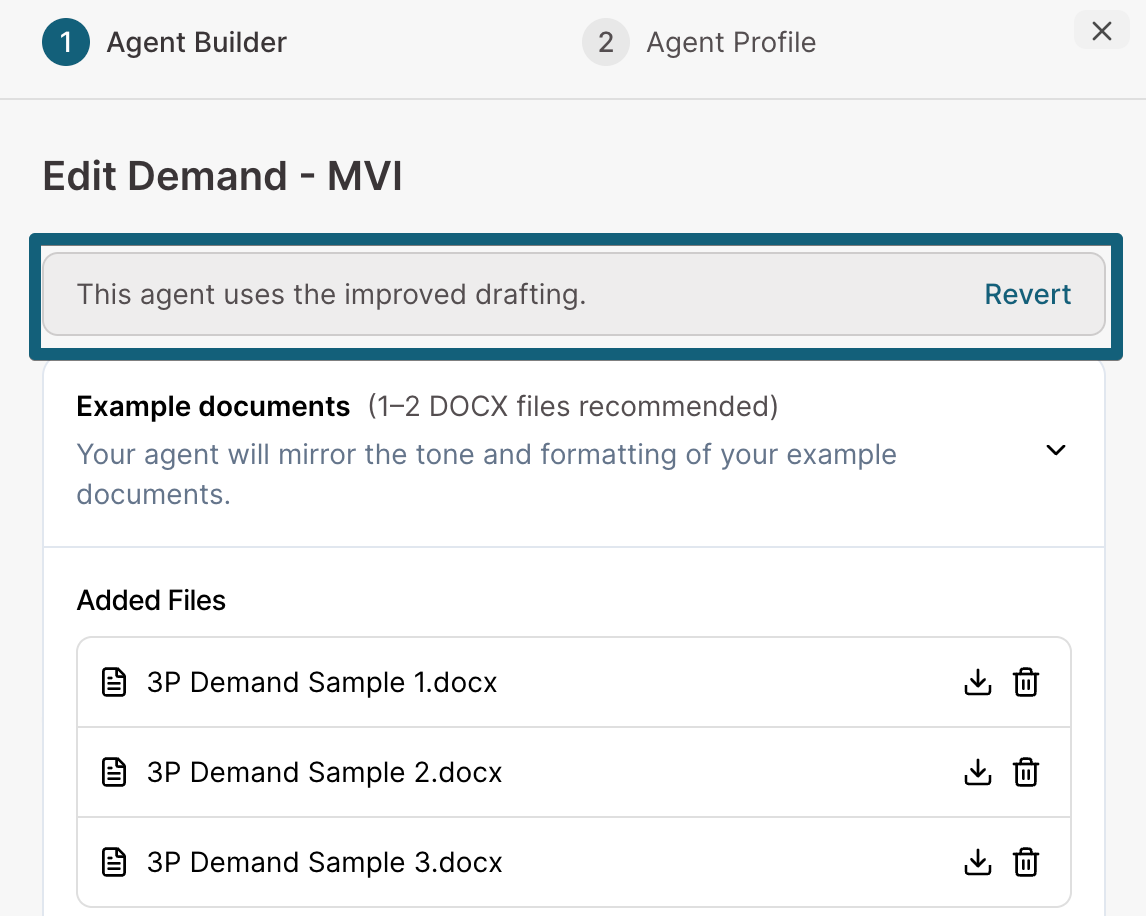
The agent's owner or a firm admin can open the agent's edit view and click Revert. The agent goes back to how it drafted before. Its example documents stay in Central Library.
What Changes and What Stays the Same
Stays the same: the agent's name, instructions, triggers, notifications, and exhibit settings. The agent stays in the same place for everyone who uses it. Existing drafts do not change.
Example documents: Eve copies the agent's sample documents to Central Library, under Agent Example Documents, in a folder named after the agent. Run with updated drafting copies them too. In Central Library, each document shows whether an agent uses it.
Updating all agents includes private agents, so other users in your firm will be able to see what example files are uploaded for private agents!
Who Can Update
The agent's owner, or a firm admin. A firm admin can update every agent in the firm. Other users can try the agent and ask the owner or a firm admin to update it.
Change an Agent's Example Documents
Edit the agent. Replacing the file in Central Library does not change the agent.
New Drafting Agents
A new drafting agent needs no example documents. To add examples, pick files from Central Library or upload them in the agent builder. Word files (DOCX) give the most accurate formatting.
Troubleshooting
An agent cannot be updated.
Eve tells you why and changes nothing. An agent cannot be updated when:
it is still training
it has more than 10 example documents
it has two sample documents with the same file name