How to Add Photos and Build an Exhibit Package in a Draft
Last updated: November 4, 2026
Overview
Eve can place matter photos in a draft and build an exhibit package from the draft, all from chat.
Add Photos to a Draft
Open the draft next to the chat.
Ask Eve to add photos from the matter, by name or by description. For example: "Add the photos of the rear bumper."
Eve places the photos in the draft with captions. You can review and make edits, or accept the proposed update with Accept all changes.
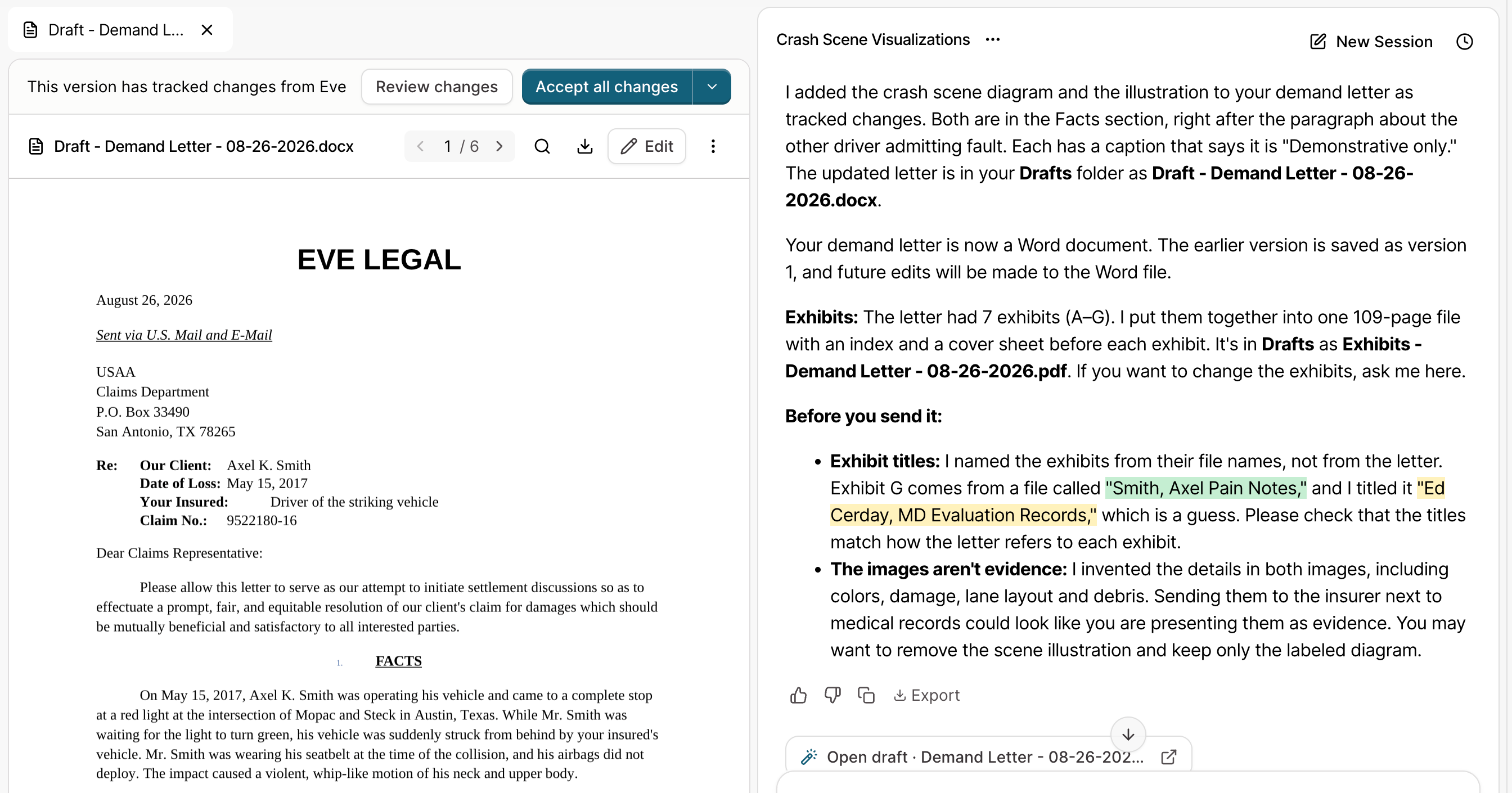
Build the Exhibit Package
Open the draft next to the chat.
Ask Eve to build the exhibits for the draft.
Review the exhibit list Eve proposes.
Confirm the list with Eve in chat. Eve builds one PDF with an index, slip sheets, and bookmarks.
Tips
Describe photos clearly. Use the file name, or a short description such as "the photos of the rear bumper". This helps Eve find the right ones.
Check the list before confirming. Eve proposes the exhibit list first, so changes are easiest to make at that step.
Make sure the right files are uploaded. If a file isn't uploaded to the matter in Eve, she can't use it as an exhibit.
Troubleshooting
Eve does not know which draft I mean!
Eve knows the draft when it is open next to the chat, and anything included as context on the conversation. If it is not open, name the draft in your message and check context to be sure it's included in Eve's analysis.