Voice AI Signing in Eve
Last updated: September 29, 2026
Overview
Voice AI Signing lets the voice agent send a retainer to a caller during a live intake call and complete the signature before the call ends.
Once the caller signs, the retainer is stored on the lead in Eve, the lead status changes to signed, and that status is pushed to the firm's connected lead system.
How a Signing Call Goes
The caller reaches the voice agent, which runs standard intake to collect information and score the lead.
The agent checks the firm's warm transfer rules. A call matching one is routed to a person, and signing is not attempted on that call.
Where no transfer rule matches, the agent checks the firm's signing rules. A call meeting the criteria is offered a retainer.
The retainer goes out through DocuSign from one of the firm's templates. The caller gets a DocuSign link by email, and by SMS where the firm's DocuSign account supports it.
The caller signs while still on the call. The agent waits, answers questions, and confirms once the signature is recorded.
On DocuSign's confirmation, the lead status changes to signed, the signed PDF is stored on the lead, and the status is pushed downstream.
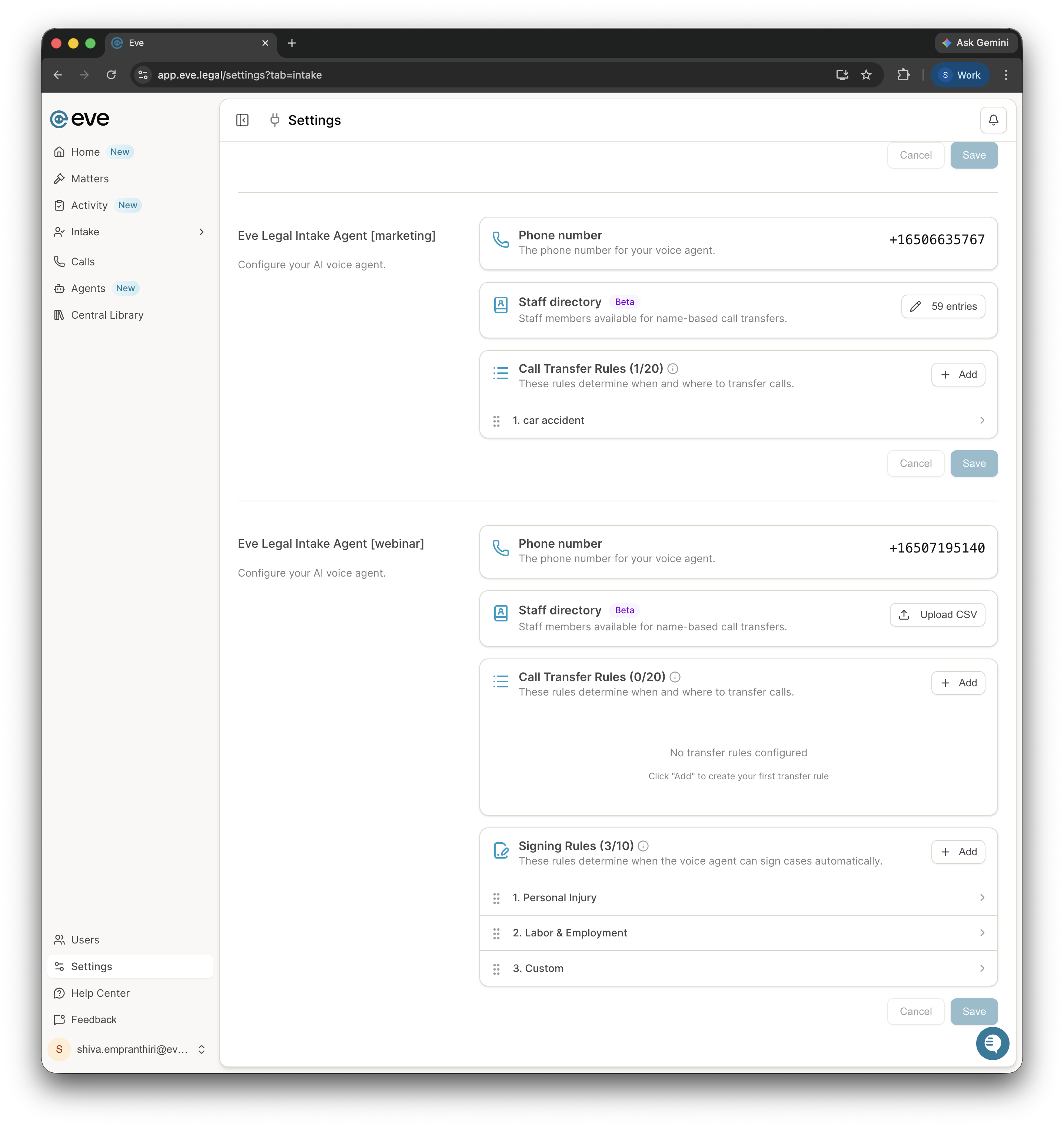
The Rule Order Matters
Transfer rules are always checked before signing rules. That ordering is what lets a firm reserve particular situations, such as catastrophic cases, for human staff while the agent signs everything else. A case type that should never be signed by the agent belongs in a transfer rule rather than being left out of the signing rules.
What the Caller Sees
A DocuSign envelope by email, plus an SMS link where SMS delivery is configured, and a normal DocuSign signing flow.
SMS retainers come from 21093, a DocuSign shortcode. It is not customizable, so a caller expecting the firm's own number will not see one.
What Is Required
A paid DocuSign account. A free account will not work.
A retainer template loaded in that DocuSign account.
Signing rules, set with the Eve Intake team during onboarding.
Only retainers the agent sends during live calls go through DocuSign. A firm can keep its existing e-sign tool for everything else.
What Voice AI Signing Does Not Do
It does not support multiple signers. One signer per retainer.
It does not run a conflict check. Conflicts are handled in the firm's own intake process and in how the signing rules are written.
It does not cover signatures completed later. Downstream sync to Clio Grow, Salesforce, LeadDocket, and SmartAdvocate happens only for a signature captured during the live call.
It does not file the retainer anywhere else. The signed PDF is stored on the lead in Eve and is not synced outside Eve.
Key Terms
Signing rules: The firm's criteria for when the agent offers a retainer, checked only after transfer rules.
Retainer template: The DocuSign template in the firm's account that the agent uses to generate the retainer.
Downstream sync: Pushing the signed status to the firm's connected lead system, for live-call signatures only.