How to Connect Clio Grow to Eve
Last updated: September 30, 2026
Overview
This article explains how to connect Clio Grow to Eve so new leads from Eve's voice agent are sent into your Clio Grow Lead Inbox automatically. You'll copy a lead capture token from Clio Grow and paste it into Eve.
Prerequisites
A Clio Grow account with admin access to Settings → Integrations.
The Clio Grow integration enabled for your firm (set up by Eve).
Step-by-Step Instructions
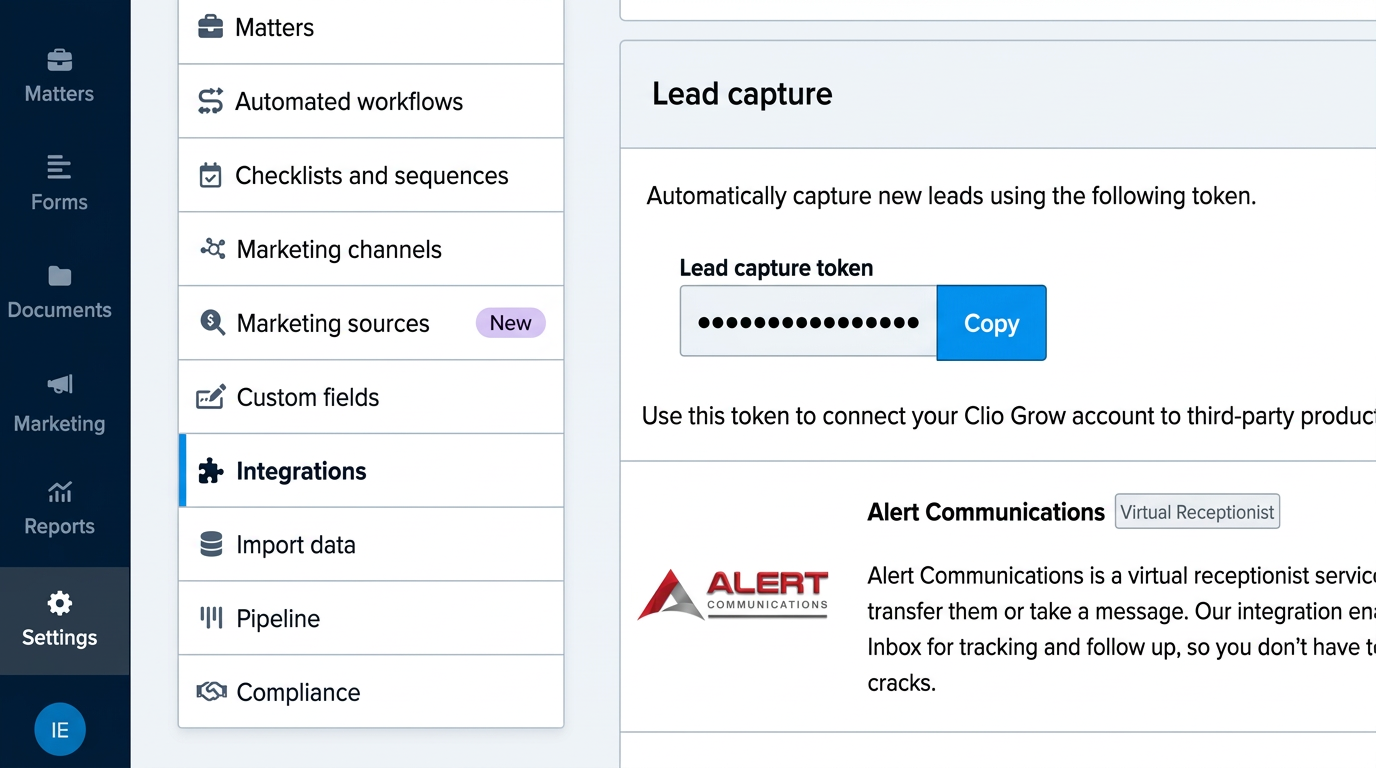
Copy your Clio Grow lead capture token — In Clio Grow, go to Settings → Integrations, find the “Lead capture” section, and copy the lead capture token.
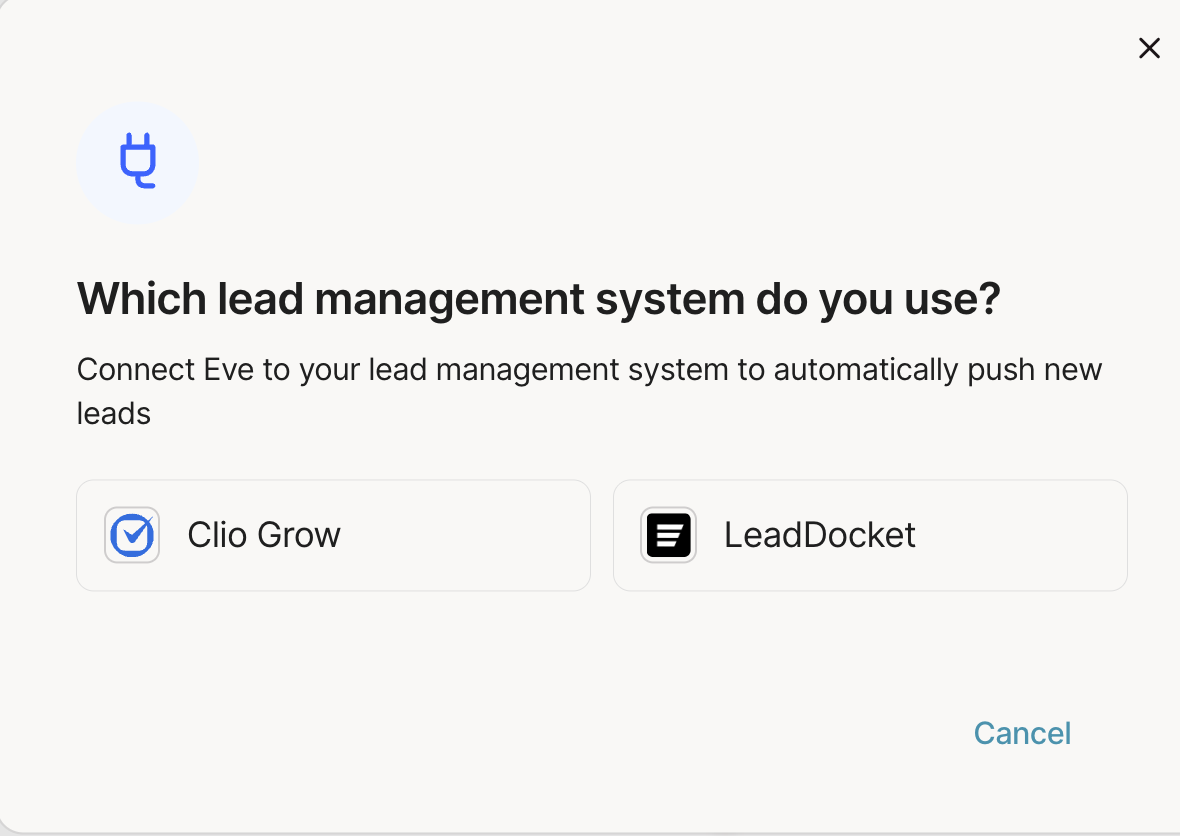
Open the integration in Eve — In Eve, go to Settings → Integrations, select “Sync your leads,” choose Clio Grow, and click Connect.
Paste the token and save — Paste your Clio Grow lead capture token and click Save. If the token is valid, the card shows “Connected.”
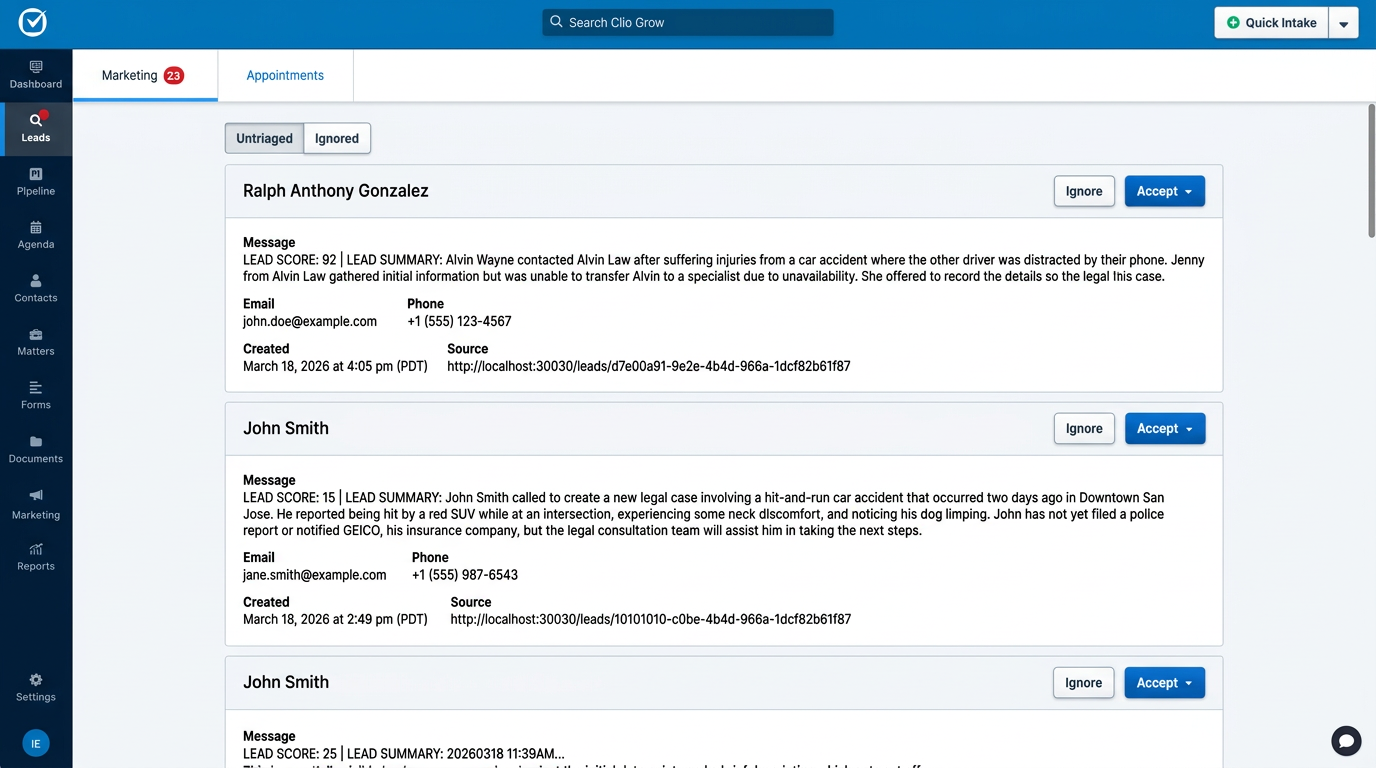
Test it end-to-end — Place a test voice-AI call that should create a lead, then confirm a new item appears in your Clio Grow Inbox with the lead score, summary, and a link back to Eve.