How to Assign a Call to a Lead or Matter in Eve Scribe
Last updated: September 30, 2026
Overview
This article explains how to assign a call in Eve Scribe to a lead or matter, so the transcript is sent to the right record in Eve when the call ends.
Prerequisites
Eve Scribe is installed and you are logged in.
Step-by-Step Instructions
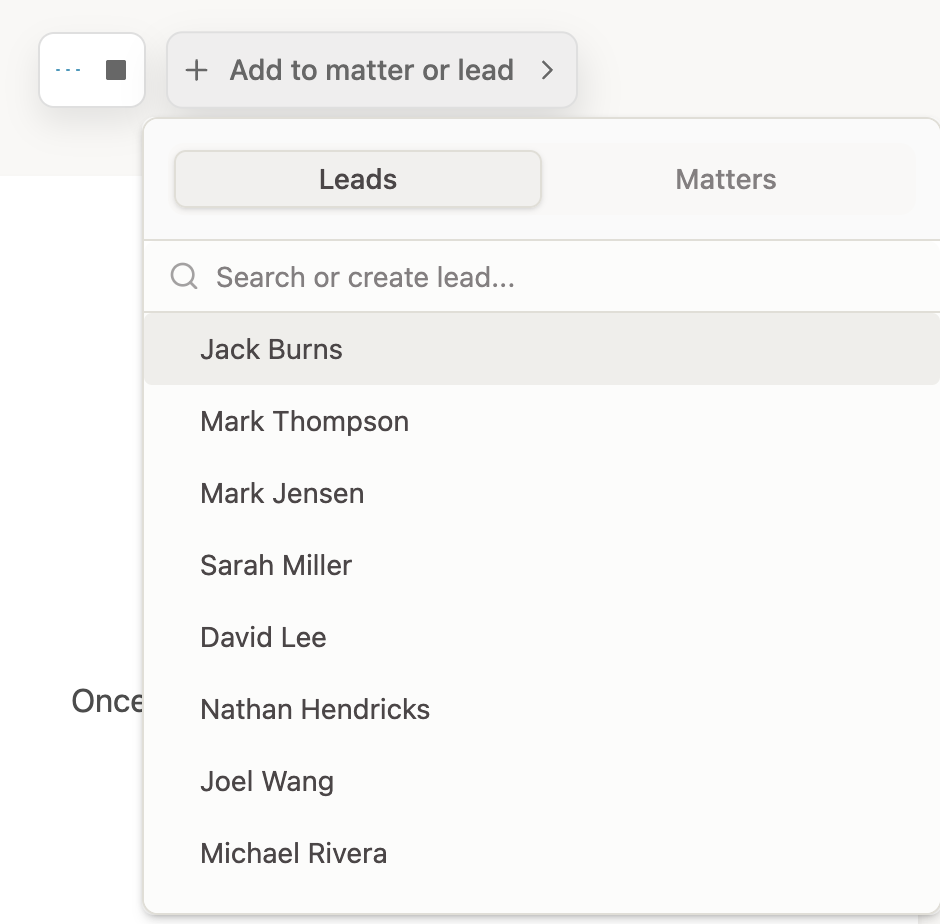
Open “Add to matter or lead” — In Eve Scribe, click Add to matter or lead.
Search for the lead or matter — Search for the lead or matter you want to assign the call to.
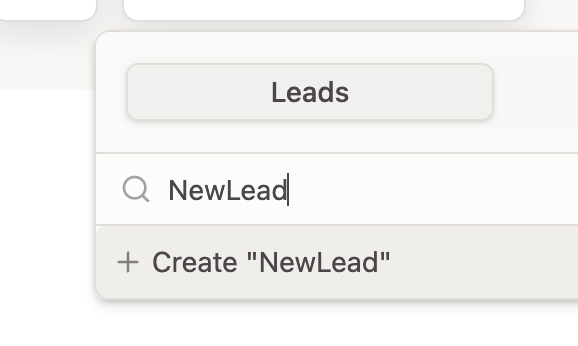
Create one if it doesn't exist — If you type a name that doesn't exist yet, you can create a new lead or matter directly from Scribe.
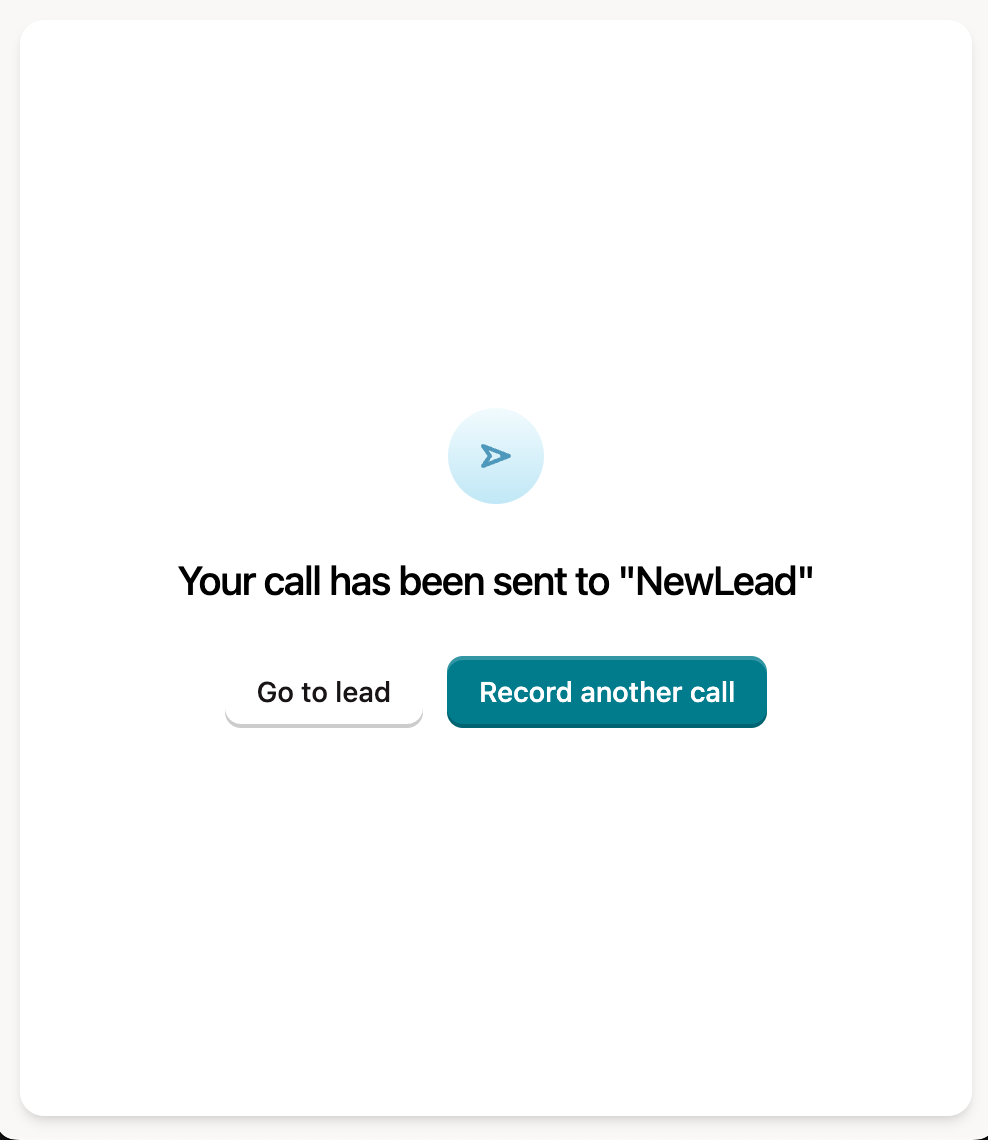
End the call to send it — When you end the call, the transcript is sent to the lead or matter you assigned it to.