Medical Overview Missing Records Flags
Last updated: September 29, 2026
Overview
A missing records flag marks a visit in a Medical Overview where the documentation does not line up: a visit with records but no bill, a visit with a bill but no records, or a visit mentioned somewhere in the file with neither.
The flags exist so the gaps are found while there is still time to request the documents, rather than when the demand package is being assembled.
How It Works
After a Medical Overview runs, Eve cross-references every visit in the chronology against the records and bills in the matter. Where a visit is missing one side of that pair, it is flagged.
Flags surface as a red notification at the top of the Medical Overview.
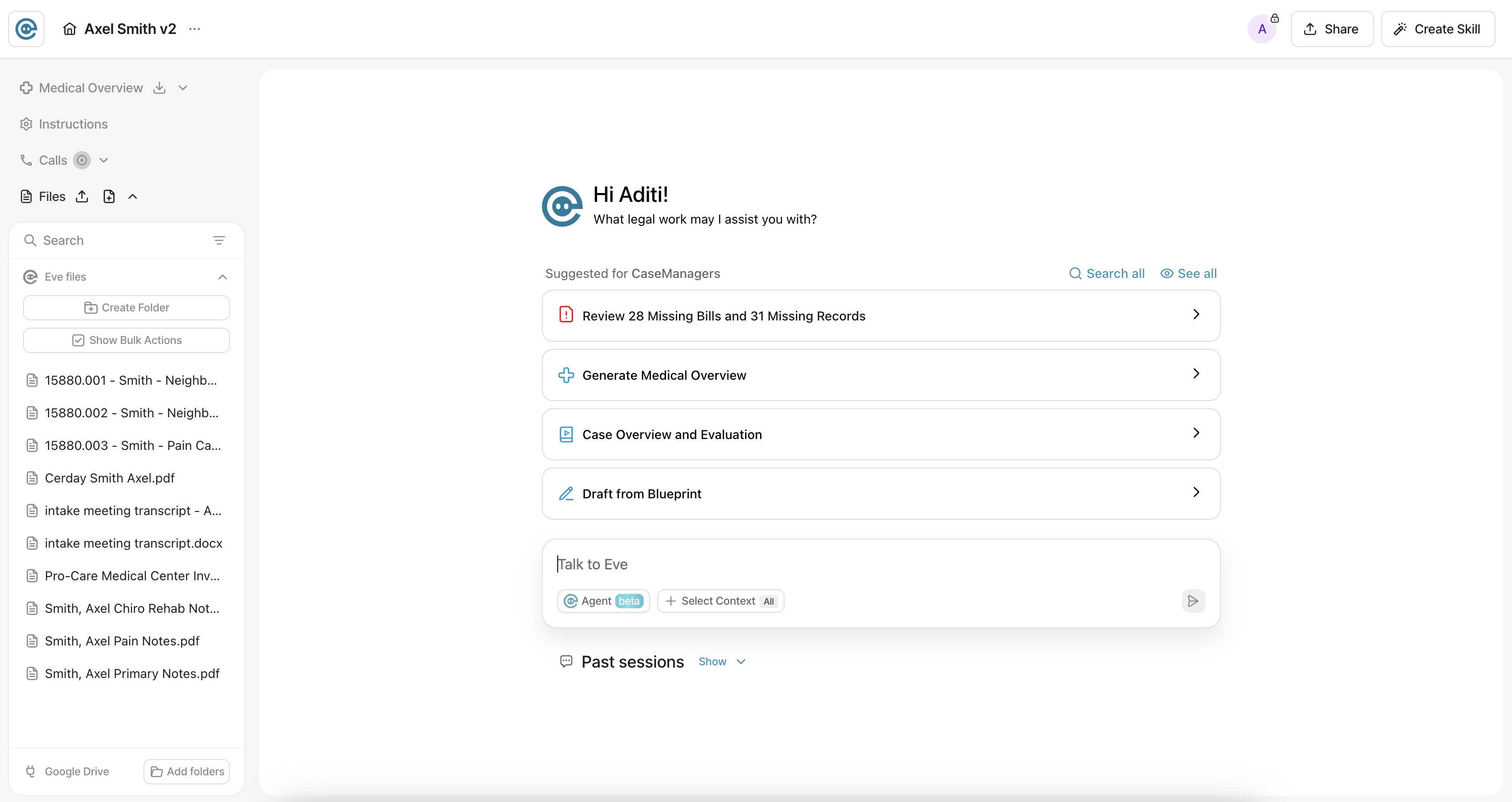
Selecting the notification opens the visits breakdown, where each flagged visit can be reviewed one at a time.
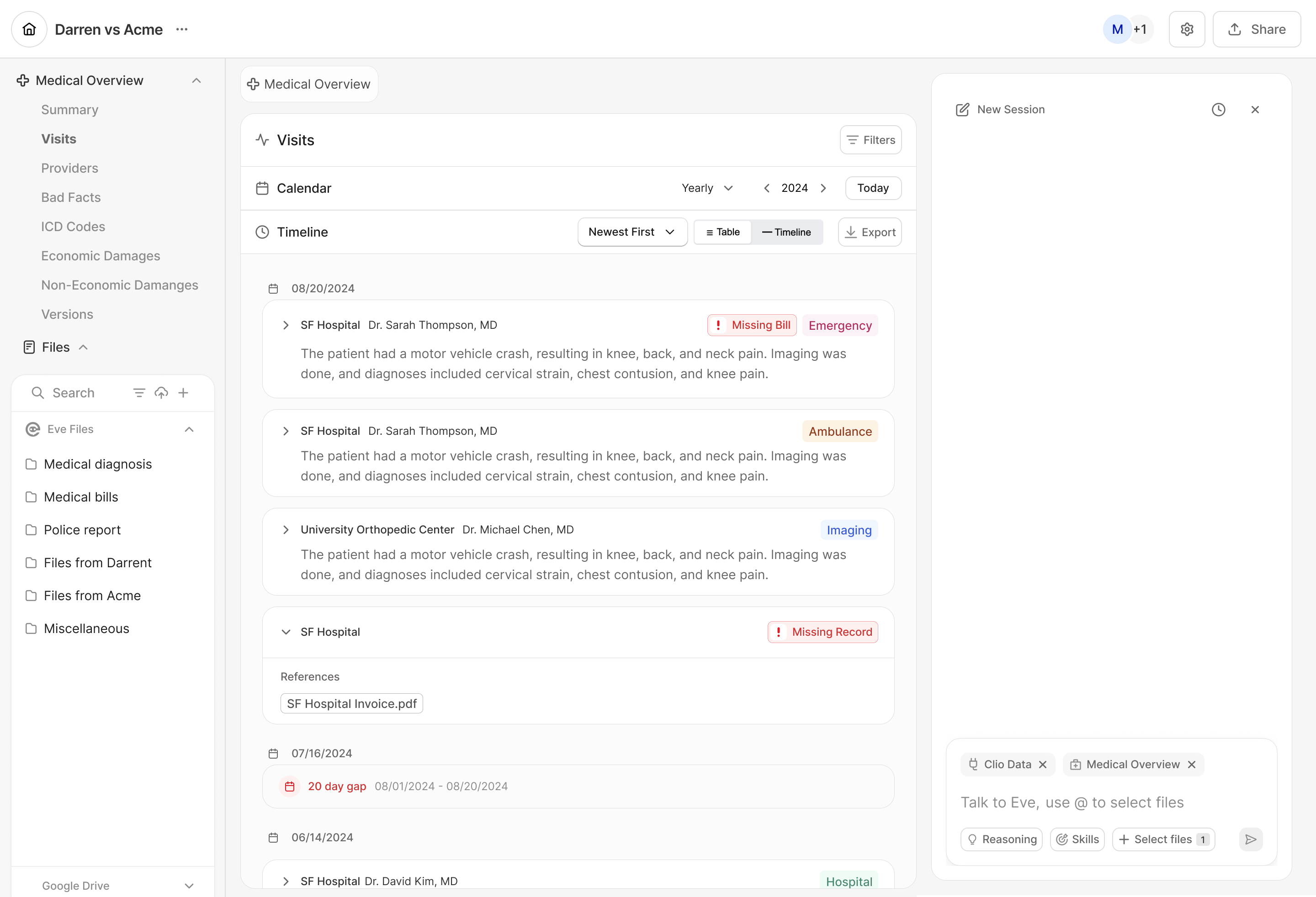
The Three Flags
Flag | What is present | What is missing |
|---|---|---|
Missing bill | A medical record describing the treatment | The bill documenting its cost |
Missing record | A bill | The medical documentation of what treatment occurred |
Mentioned visit with no documentation | A reference to the visit in other records or case materials | Both the bill and the record |
The third flag is the one that finds providers nobody knew to request from. A visit referenced once in a referral note, with nothing else in the file behind it, would otherwise go unnoticed until the numbers did not add up.
What the Flags Do Not Tell You
A flag is a gap in the file, not an error. Some visits genuinely have no bill, and some bills genuinely cover care with no separate record.
Flags only cover visits Eve identified. A treatment that appears nowhere in any uploaded document, and is mentioned nowhere, cannot be flagged as missing.
Clearing a flag means uploading the document. Flags are recalculated when the Medical Overview is re-run against the new file. See 📄 When a Medical Overview Runs.
Key Terms
Missing bill: A visit with a medical record describing treatment but no bill for it.
Missing record: A visit with a bill but no medical documentation of the treatment.
Mentioned visit with no documentation: A visit referenced in other materials with neither a bill nor a record in the matter.
Visits breakdown: The view listing each flagged visit for review, opened from the notification.