How to Connect Spectrum VoIP to Eve
Last updated: September 30, 2026
Overview
This article explains how a firm connects Spectrum VoIP to Eve so call recordings are pulled in automatically, creating leads from new intakes and associating calls to leads and matters by phone number. Setup is self-service in Eve's intake settings.
Prerequisites
Automatic call recording is enabled for your Spectrum VoIP account. This must be enabled at the domain level, which cannot be done in the Spectrum VoIP UI — submit a request to Spectrum VoIP support to enable it for your domain.
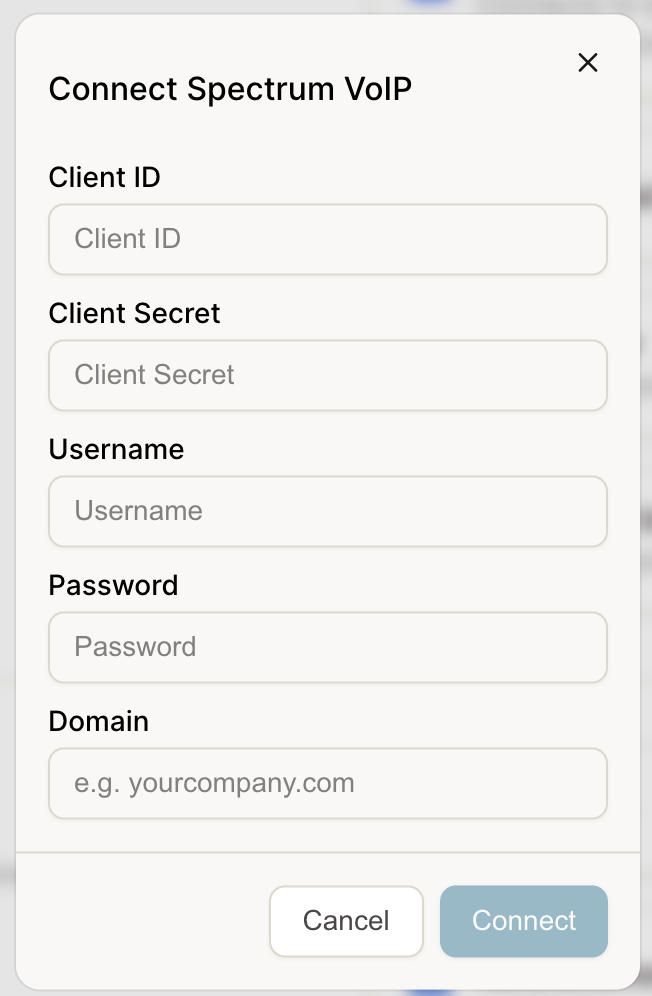
The person authorizing has Spectrum VoIP admin credentials: Client ID, Client Secret, Username, Password, and Domain.
Step-by-Step Instructions
Open Eve's intake settings — Go to the intake settings page in Eve where phone system integrations are managed.
Authenticate with your Spectrum VoIP credentials — Enter your Spectrum VoIP admin credentials (Client ID, Client Secret, Username, Password, and Domain) to authenticate.
Pull your data into Eve — Once authenticated, connect with two clicks to begin pulling call recordings into Eve.