How to Add a Note to a Matter in Eve
Last updated: September 30, 2026
Overview
Notes capture case context that does not live in a document: a client update, a strategy decision, what came out of a call. They are written in the matter's Activity feed.
A saved note becomes part of the matter context Eve can draw on when answering questions or drafting, so it is not just a record for people to read.
Notes & Tasks is in beta and may not be enabled for your firm yet. Contact your Customer Success Manager for more details.
Steps
Open the matter.
Open the Activity feed. This is where case activity is tracked.
Click Add, then select Note.
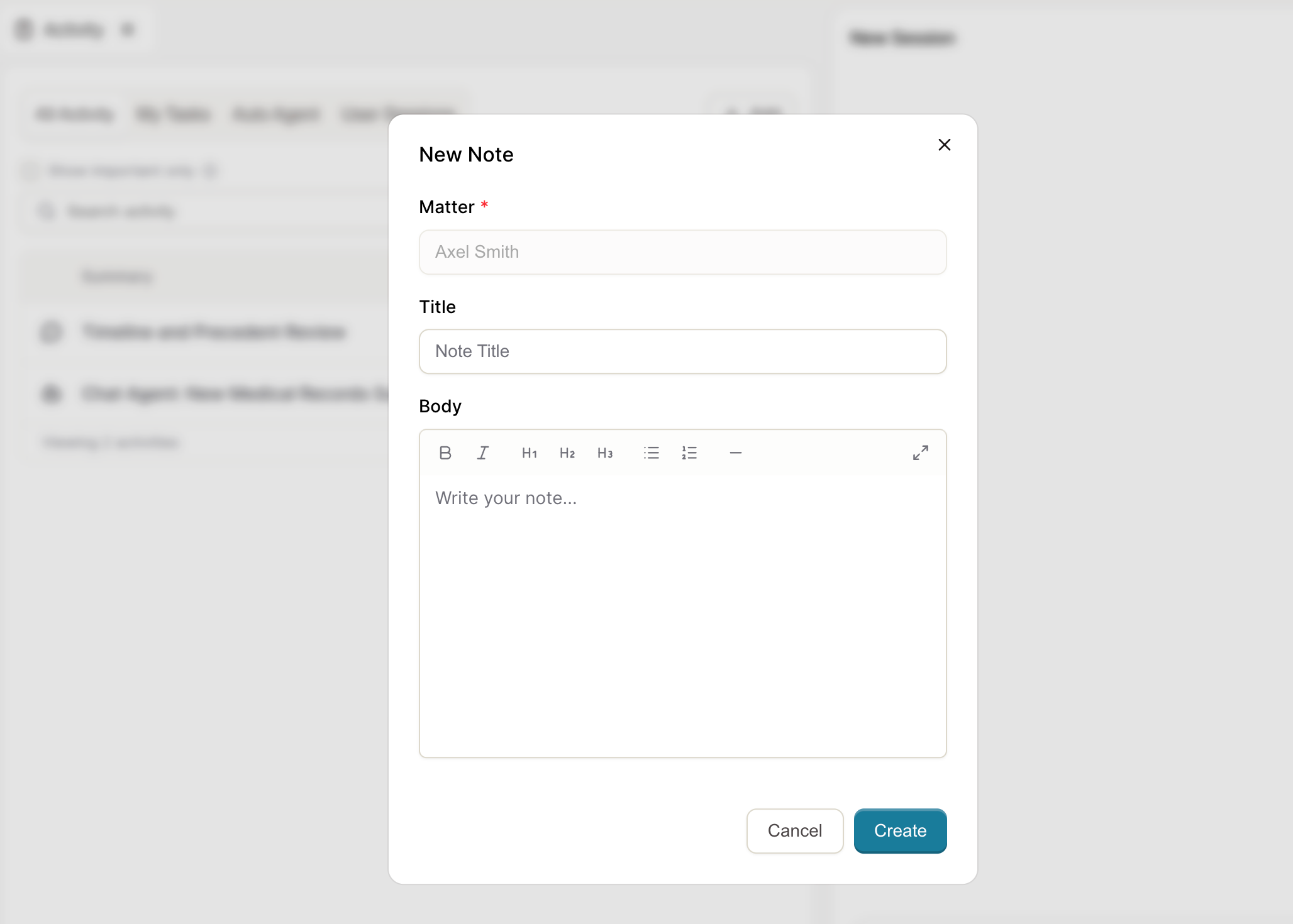
Enter a title and the note content.
Save. The note appears in the Activity feed and becomes part of the matter context.
What to Put in a Note
Anything Eve would otherwise have no way of knowing, because it was never written down in the file: what the client said on the phone, why a particular approach was chosen, what the adjuster agreed to verbally. Documents cover what was filed and received. Notes cover the rest.
Limits
Notes are visible to everyone with access to the matter. There is no private note.
Notes are attached to the matter, not to a single session.
A note is not a task. To assign follow-up work with an owner and a due date, see 📄 How to Create a Task on a Matter in Eve.