How to Enable Eve Research
Last updated: June 11, 2026
Overview
This article shows Eve users how to enable or disable Eve Research so they can search trusted data sources from within Eve's chat. Enabling it makes the Research toggle and collection selector available to every user at your firm. Once enabled, built-in Research Collections work immediately—no further setup is required.
Step-by-Step Instructions
Open Settings > Research — In Eve, go to Settings and select Research. You'll see the Eve Research settings for your firm.
Turn on Research Collections — Toggle on collections you wish to allow your users to access. Once it's on, users at your firm will see the Research toggle and the collection selector in chat.
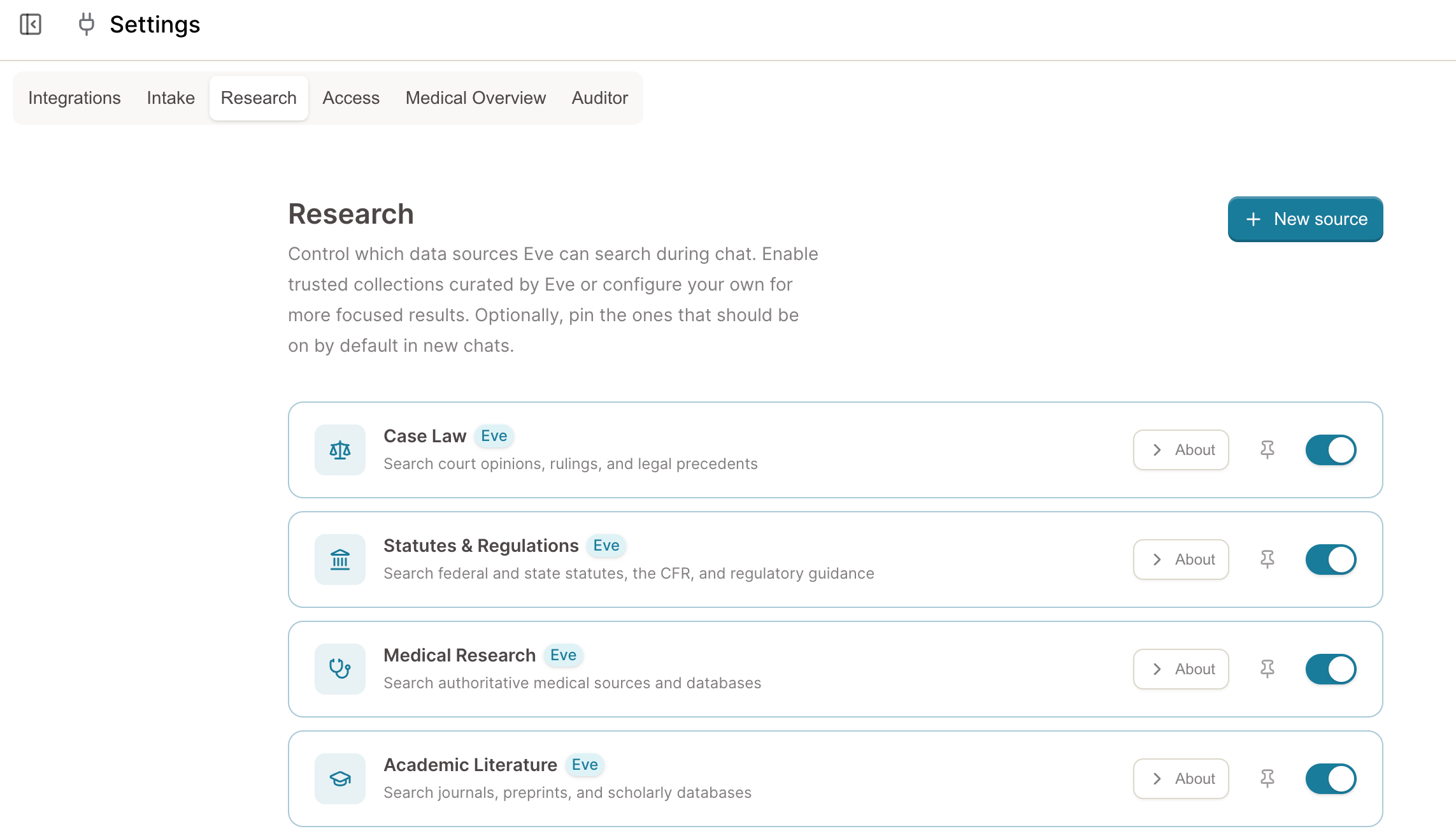
Confirm the built-in collections are available — Statutes & Regulations, Medical Research, Academic Literature, and Business Filings are ready to use with no configuration. They appear in the source selector for your users alongside All Web.
To add your own custom sources, see 📄 How to Create a Custom Research Collection in Eve.