How to Use Eve Research
Last updated: June 11, 2026
Overview
This article shows you how to use Eve Research in a chat so Eve can answer with current, cited information from the web. You choose which trusted sources Eve searches before asking your question, and every result comes back with citations you can verify.
Step-by-Step Instructions
Select the Research toggle — In the chat interface, click the Research toggle. The source selector appears so you can choose where Eve searches.
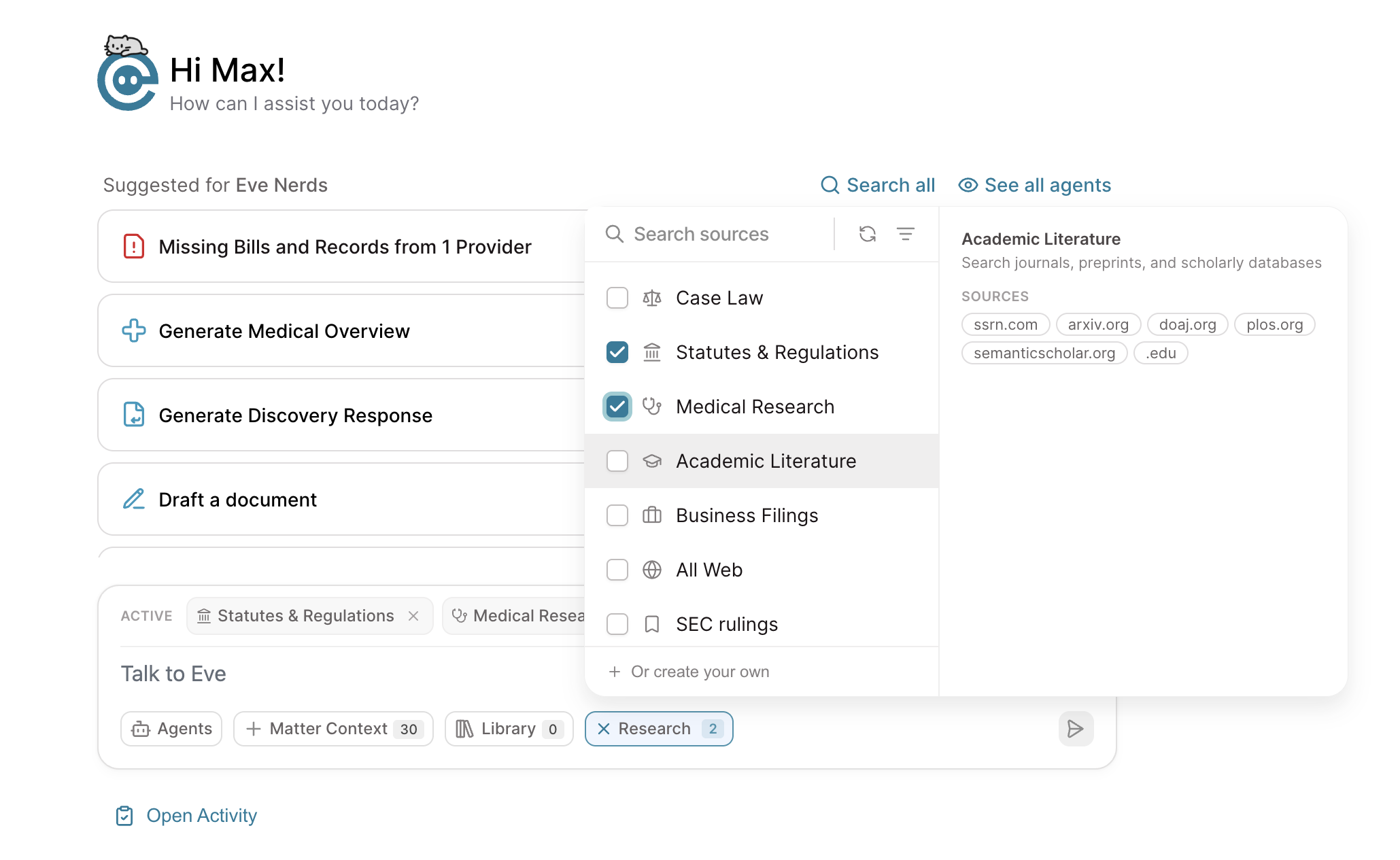
Choose a collection — Select the collection that fits your task: Medical Research for clinical questions, Statutes & Regulations for legal lookups, or a custom collection your firm has set up.
Ask your question as you normally would — Eve searches the selected sources and shows a "Searching…" indicator for the collection you picked. When she's done, her response includes full citations—URL, title, publish date, and the relevant excerpt—so you can verify each source with a single click.