How to Enable SMS Retainer Delivery in DocuSign for Eve
Last updated: July 2, 2026
Overview
This article explains how a firm enables SMS delivery of retainers in its DocuSign account so Eve's voice agent can text the signing link in addition to email. SMS is optional — email delivery works without any extra setup. Configuration happens entirely in DocuSign.
Prerequisites
A paid DocuSign account connected to Eve for Voice AI Signing.
Step-by-Step Instructions
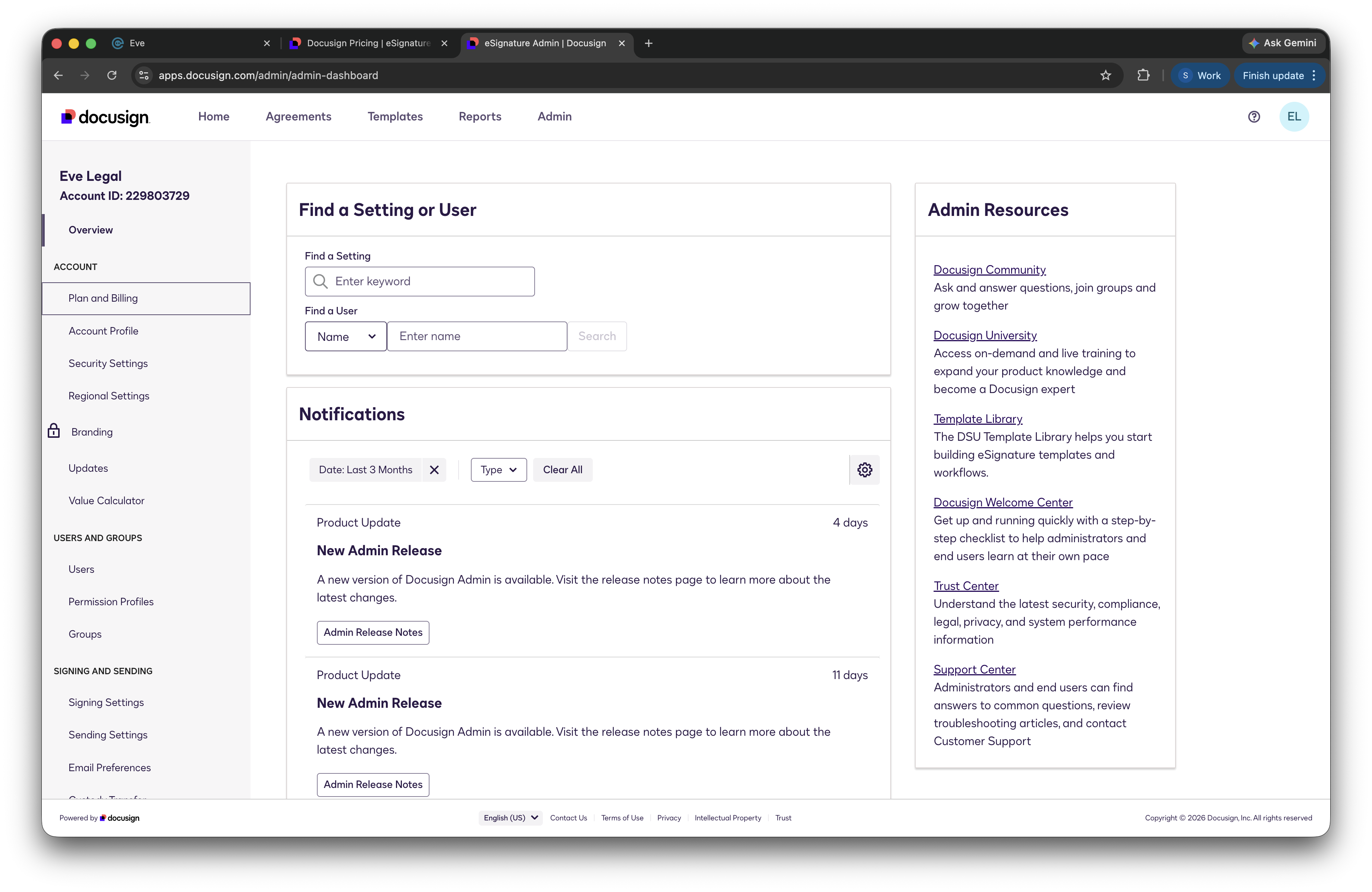
Open DocuSign Admin — Click Admin in the top panel of DocuSign.
Go to Plan and Billing — Under Account in the left panel, select Plan and Billing.
Add the Multi-channel delivery add-on — Purchase the Multi-channel delivery add-on, which unlocks sending retainers by text. Once it's active, no changes are needed in Eve — the agent automatically uses SMS alongside email when sending retainers.